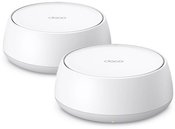
Wi-Fi Access Point 6 AX1800 PoE DAP-X2810
- Wi-Fi 6 AX1800, up to 1.8Gbps
- Dual-band, 2x2 MIMO, airtime fairness and bandwidth control functions
- Free software and Nuclias Connect app
- Convenient installation with PoE
- Configurable captive portal
- D-Link Lifetime Limited warranty
Scalable and easy to manage corporate WiFi network 6.
The DAP-X2810 with Wi-Fi 6 networking provides businesses of all sizes with fast connections, significantly increased capacity and interference-free coverage, all combined with centralised management via Nuclias Connect.
Easy management of your corporate network
The DAP-X2810 works with Nuclias Connect, a software-based management platform (with optional hardware controller). This enables you to manage and control your business network from anywhere via the Internet, providing easy access, automation and network scalability.
Easy network management with Nuclias Connect
Easily automate, monitor, manage and scale your network according to your business needs at no additional cost through the centrally managed Nuclias Connect platform.
Next generation - Wi-Fi 6
Greater network performance and lower latency, with almost four times the capacity of previous Wi-Fi standards
Secure performance
WPA3 encryption provides security with high throughput with dual-band 2x2 MU-MIMO technology, bandwidth control and airtime fairness to intelligently manage users.
Flexible deployment with PoE
Support for Power over Ethernet (802.3at) simplifies installation with less cable clutter. The design allows easy installation on Ethernet wall sockets.
No licence required
Work as a standalone access point or as part of a centralised, scalable multi-device deployment according to the needs of the business.
More efficient administrative tasks
Administrators can work more efficiently and effectively with role-based options for delegated access across the network. Deployment, configuration, upgrading and expansion is possible from multiple locations using an intuitive dashboard.
Captive portal
Captive Portal, the industry standard for authentication, streamlines access management with the ability to add brand information.
Free software and application
Quickly configure, manage and monitor access points locally via a free management tool or remotely via the Nucliast Connect app.
Next-generation WiFi 6 performance with huge speed improvements
Combined Wi-Fi 6 802.11ax connection speeds of up to 1,800 Mbps provide the DAP-X2810 with lightning-fast transfer rates, enabling large amounts of data and efficient video streaming, even in high-density environments
Next-generation Wi-Fi 6 connections deliver higher network performance and lower latency, and nearly four times the capacity of previous Wi-Fi standards.
Optimised Wi-Fi for convenient connections
The DAP-X2810 supports 2x2 MU-MIMO bandwidth control and beamforming functions, which are designed to reduce network congestion.
In addition, load-balancing technology and Airtime Fairness manage access point loads to optimise resource utilisation. This ensures that each device connected to the network connects at peak performance without overloading the entire network.
Multiple modes of operation
The DAP-X2810 can be configured to suit your network needs and optimise network performance.
- Access point
- Wireless distribution system (WDS) with access point
- WDS/bridge (without AP broadcast)
- Wireless client
Easy and hassle-free installation anywhere.
The DAP-X2810 can be placed on a desk, ceiling or wall mounted. The PoE function makes installation quicker and easier as there is no need to lay additional power cables. This is ideal for extensive deployments in locations where power sockets are not readily available.
Corporate network management with advanced control mechanisms
Nuclias Connect enables you to manage and control your network from anywhere. It provides insight into network performance and user activity through traffic analysis and status reports, available in a browser or free app. Detailed data from network traffic analysis, which can be displayed for the entire network down to the single access point level, can be used to create business value.
Comprehensive on-site network management
Nuclias Connect, compared to traditional hardware-based unified management systems, offers a great deal of flexibility. Easy configuration, remote access and an intuitive dashboard provide administrators with management efficiency and convenience, while functionality and automated network tools such as airtime fairness, throttling location and load balancing improve the user experience.
Scale up your WiFi network as your business grows
Nuclias Connect enables unlimited scalability, allowing you to adapt the size of your network to suit your business requirements. Expanding or setting up a network in a new location is quick and easy. Management and configuration is done via the cloud, and access points and surveillance cameras are automatically detected and ready for deployment right out of the box.
Greater brand awareness with captive portal
Guest web visitors are not only able to connect using an email address, Facebook or Google account. Captive portal enables increased brand awareness, the placement of advertisements and promotions, and the collection of user information to gain a better understanding of customer behaviour.




















Atsiliepimai
0 vidutinis įvertinimas (0 įvertinimų)