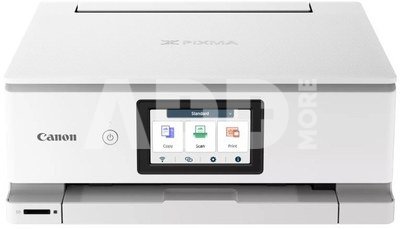
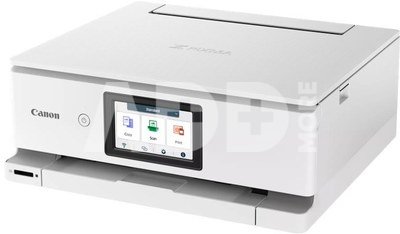
The Canon PIXMA TS8751 a powerful and easy-to-use multifunction home printer enables fast and hassle-free printing of high-quality photos and documents. Operating the Canon PIXMA TS8751 3-in-1 inkjet printer is easy thanks to its 10.8 cm touchscreen, hassle-free Wi-Fi setup, and a simplified, customizable user interface with toggles. Six individual ink cartridges enable fast operation and deliver stunning results for everything you print: documents, color photos, and more. This compact, high-performance home printer will meet the needs of the whole family for work, education, creative pursuits, and more.
Easy to use thanks to a simplified menu
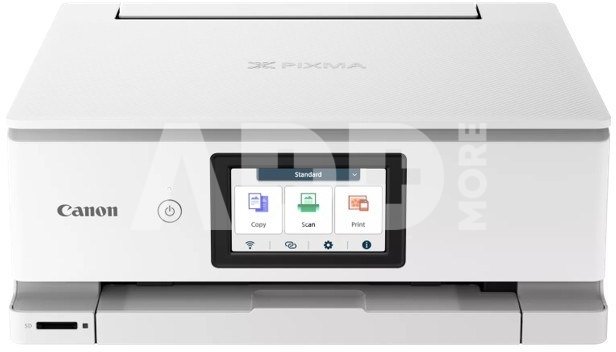
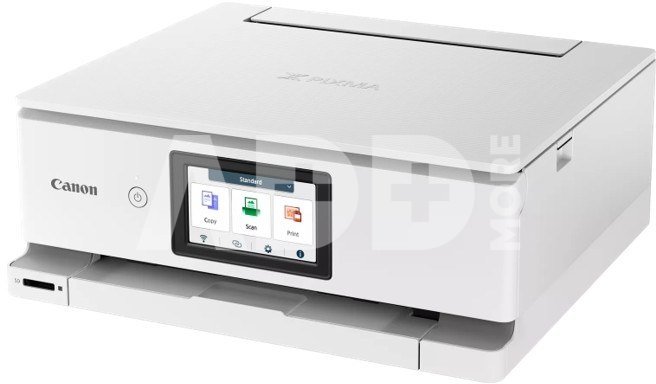
The Canon PIXMA TS8751 is simple to use, thanks to its large, tilting 10.8 cm screen and a streamlined, customizable touchscreen interface with toggles for easy access to functions and settings.
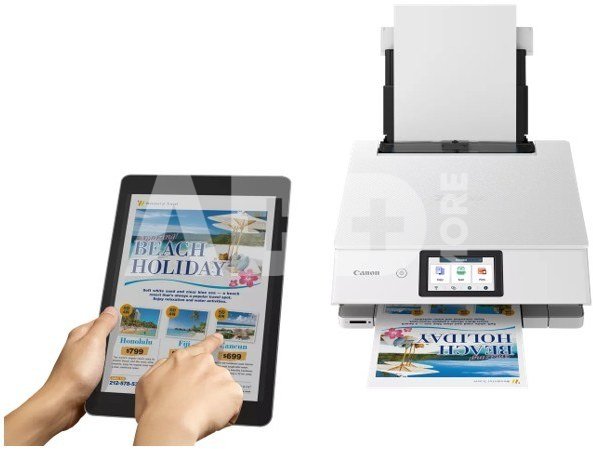
Effortless PC-free printing
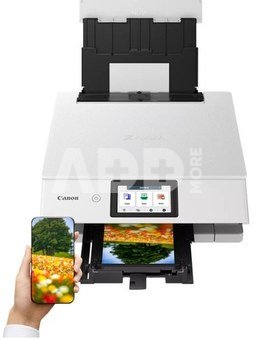
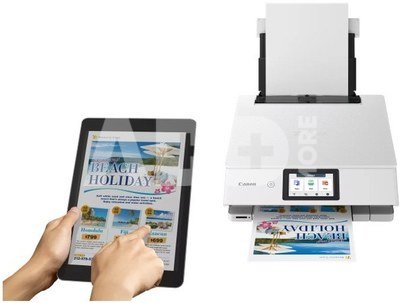
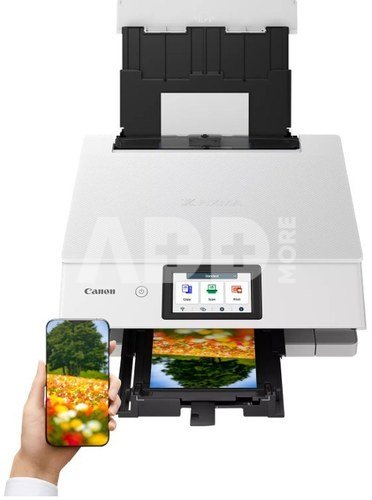
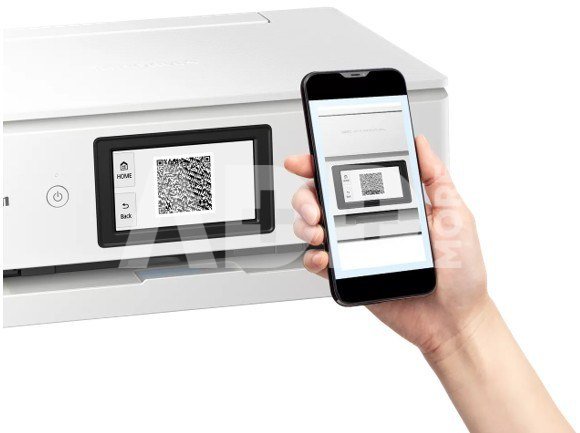
The Canon PIXMA TS8751 printer lets you wirelessly print photos and documents from your mobile device using the Canon PRINT app. You can quickly set up your Wi-Fi network using your device's information (iOS only) or connect directly by scanning a QR code with your Android or iOS smartphone.
Fast, high-quality prints for work and play
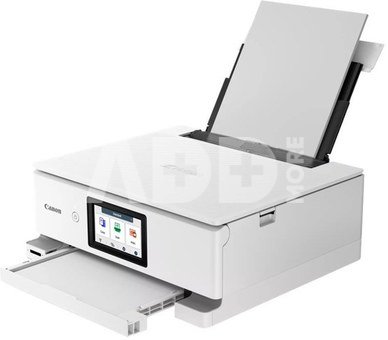
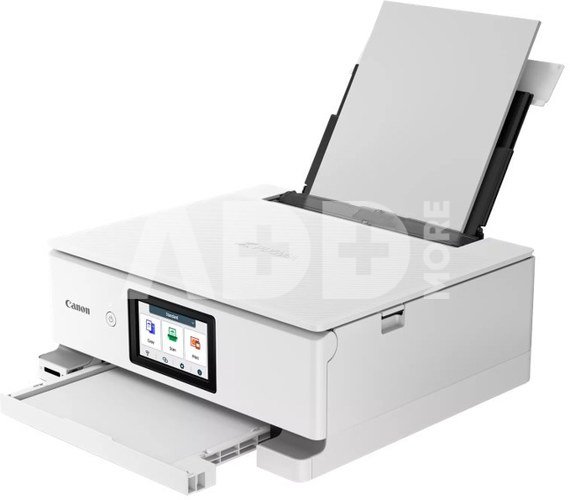
Quickly print crisp documents (15 ipm mono, 10 ipm color) and high-quality photos (4 x 6 inch / 10 x 15 cm borderless in 13 seconds) thanks to the Canon PIXMA TS8751's 6-ink single ink system. Save even more time by loading plain paper in the front tray and photo paper in the rear tray.
Designed for your lifestyle
Optimize your space with the Canon PIXMA TS8751's elegant, compact design that complements any décor. Available in white and black.
More ways to be productive
Dual-sided paper feeding lets you print on a variety of media, the multi-purpose tray lets you create disc/disc labels, and automatic two-sided printing saves you money.
Switch Interface
This improved interface handles a variety of tasks (work, school, everyday life) and simplifies printer use. You can quickly switch modes using the menu at the top of the screen, change icons and background color, and lock unused features.
Simple Wi-Fi Setup for iOS
Apple iOS users can use the Wi-Fi configuration information stored on their devices to connect to the Canon PIXMA TS8751 printer on the same networkno need to manually enter a password.
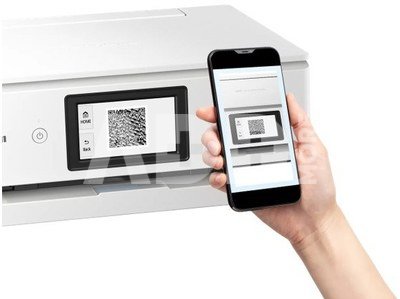
Direct Connection via QR Code
You can quickly set up a direct wireless connection between your Canon PIXMA TS8751 printer and your mobile device by scanning the QR code displayed on the printer's screen.
Svoris
8.5 kg
Garantinis laikotarpis
24 mėnesių
Pristatymo laikas
10-19 d.d.
Aptarkite su konsultantu Kaune
Neturime
Kaunas Adresas: Birželio 23-iosios g. 23g Darbo laikas: I-V 09:00 - 18:00 VI-VII nedirba Telefonas: +370 674 59488
Aptarkite su konsultantu Klaipėdoje
Neturime
Klaipėda Adresas: Taikos pr. 17 Darbo laikas: I-V 10:00 - 19:00 VI 10:00 - 14:00 VII nedirba Telefonas: +370 604 43972
1. Į kokius veiksnius reikėtų atsižvelgti renkantis rašalinį spausdintuvą nuotraukoms spausdinti?
Renkantis rašalinį spausdintuvą nuotraukoms spausdinti, labai svarbūs keli veiksniai. Ieškokite spausdintuvo su didele raiška, matuojama taškais colyje (dpi), nes tai turi tiesioginės įtakos nuotraukų ryškumui ir detalumui. Platesnė spalvų gama užtikrina ryškų ir tikslų spalvų atkūrimą. Atsižvelkite į rašalo kasečių skaičių; spausdintuvai su atskiromis kasetėmis skirtingoms spalvoms leidžia tiksliau valdyti spalvas. Be to, tokios funkcijos kaip spausdinimas be kraštų, suderinamumas su laikmenomis ir belaidis ryšys gali pagerinti bendrą nuotraukų spausdinimo patirtį.
2. Kaip pasirinkti tinkamą popieriaus tipą nuotraukoms spausdinti ir ar tai turi didelės įtakos spausdinimo kokybei?
Norint pasiekti optimalią spausdinimo kokybę, labai svarbu pasirinkti popierių. Nuotraukų popierius būna įvairios apdailos: blizgus, matinis ir satininis. Blizgi apdaila suteikia blizgų paviršių, kuris padidina spalvų gyvumą, o matinė apdaila sumažina atspindžius ir atspindžius. Popieriaus svoris, matuojamas gramais kvadratiniame metre (gsm), turi įtakos jo storiui ir patvarumui. Sunkesnio popieriaus atspaudai paprastai būna masyvesni ir kokybiškesni. Visada naudokite rašaliniams spausdintuvams skirtą fotopopierių, kad užtikrintumėte tinkamą rašalo sugėrimą ir atspausdintų nuotraukų ilgaamžiškumą.















Atsiliepimai
0 vidutinis įvertinimas (0 įvertinimų)