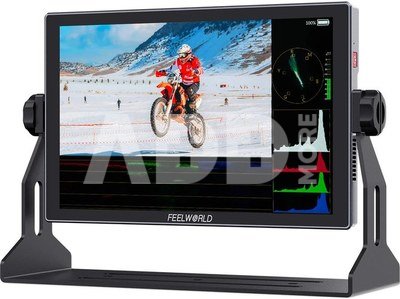
S10 is a larger size 12G-SDI/HDMI 2.0 monitor for 4K on-site shooting, large-scale performances, live events, TV programs, and more.
12G-SDI
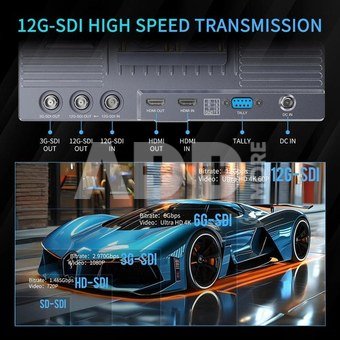
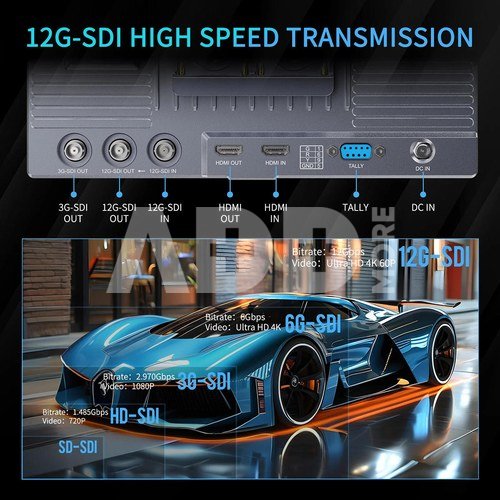
Adopting 12G-SDI single link technology and compatibility with 6G-SDI/3G-SDI/HD-SDI/SD-SDI, supporting 12Gbps per second transmission rate, better meeting the video transmission needs of high definition and high frame rate.
Broadcast Quality
S10 can not only handle handle monitoring from all your SD, HD-SDI, 3G-SDI, 6G-SDI and 12G-SDI sources, but also simultaneously loop-out high quality broadcast video images, providing you the perfect future proof monitoring solution and bringing the best quality possible and a fluid smooth viewing experience!
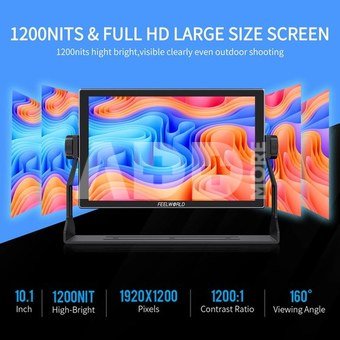
10-inch FHD Screen
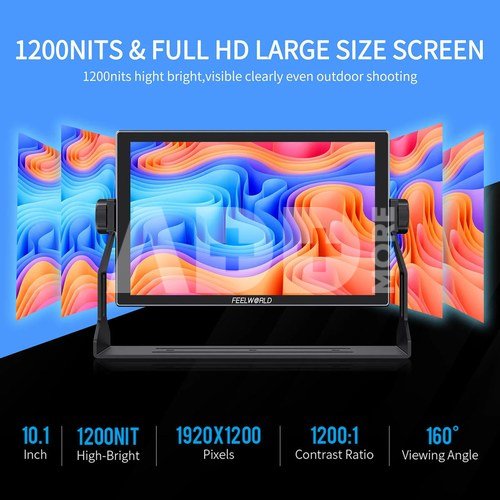
With extremely high resolution 10-inch IPS panel,a wider field of view and clearly present more detailed image. 10-bit color provides a richer range of colors. 160 ° wide viewing angle, support multiple members to monitor the image from all angles, facilitate team collaboration for filmmaking
CalMAN Software Calibration, DCI-P3 Gamut
Each monitor under goes color calibration via CALMAN professional software prior to leaving the factory, ensure color accuracy and good reproduction, and the delta E value ≤1.5 Plus, S10 also covers 95% DCI-P3 film-grade color gamut, better meet the visual experience.
1200 cd/m2, Visible in Sunlight
High brightness 1200 cd/m2 is viewable in almost every kind of light. Indoors, outdoors or anywhere you need.
Rugged Aluminium Housing
Adopts CNC aluminium housing, durable and portable, suitable for various shooting environment.
Custom Shortcut Keys
On the top of S10 comes with three custom shortcut buttons , the photographer can set the shortcut functions in advance according to the actual needs of the shooting site, and quickly call up the required functions during the shooting process, greatly improving the shooting efficiency.
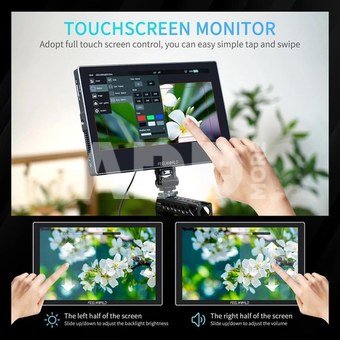
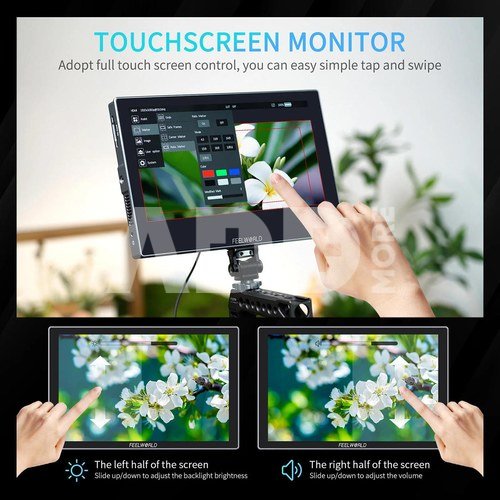
Touch Screen Control
The innovative touch screen LCD user interface provides incredible control. You can use simple tap and swipe gestures for the important monitoring functions without buttons. Plus, you can also operate via scroll wheel key.
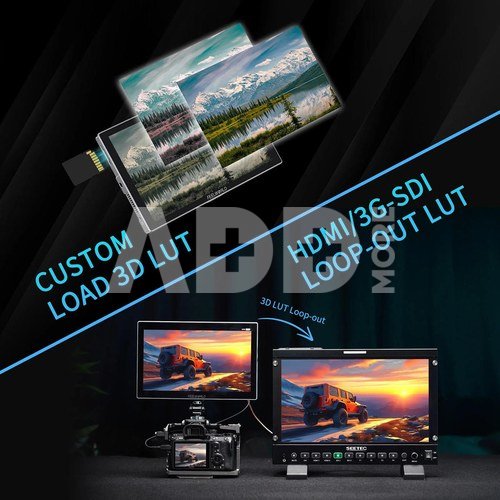
Custom 3D LUTs
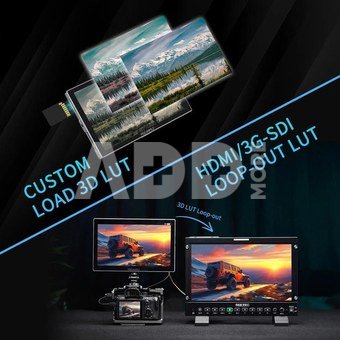
The LUT loading function makes the color calibration easier and more intuitive, optimizes the workflow and improves the work efficiency in the early stage of shooting. You could use built-in LOG or upload .cube files. S10 allows you to load internally up to 32 custom LUTs, looks or profiles at any time via the SD Card Slot and instantly select between them, maintaining creative intent, always.
3D LUT Loop-out
HDMI and 3G-SDI can output the video or image with 3D LUT effect. When you are live streaming, you can connect the S10 output as a live broadcast image to add a cinematic ; when shooting on-set, you can output the image with LUT to the director or client for real-time monitoring by connecting a wireless device to strengthen teamwork.
Note: To use HDMI with LUT output, you need to set the HDMI output to "display" (enter main menu--System--Source--Output Source--HDMI OUT--Display)
HDR Monitoring
When HDR is activated, the display reproduces a greater dynamic range of luminosity, allowing lighter and darker details to be displayed more clearty,it is better to reflect the visual effects in the real environment. Built-in HLG1, HLG2, HLG3 three types.
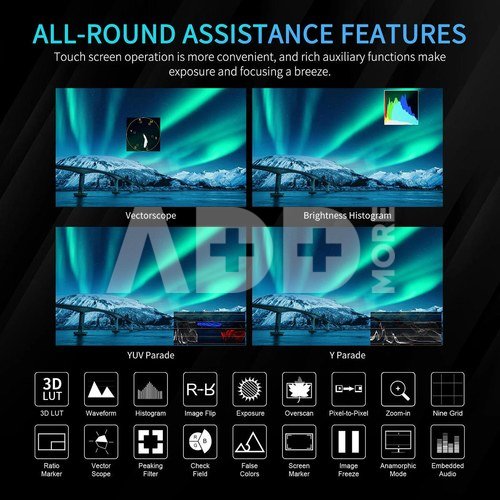
Waveform monitoring
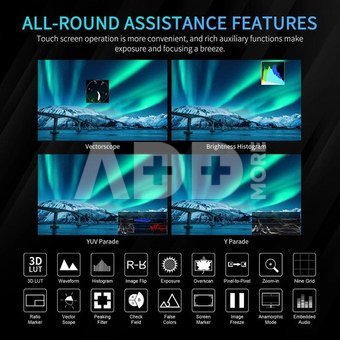
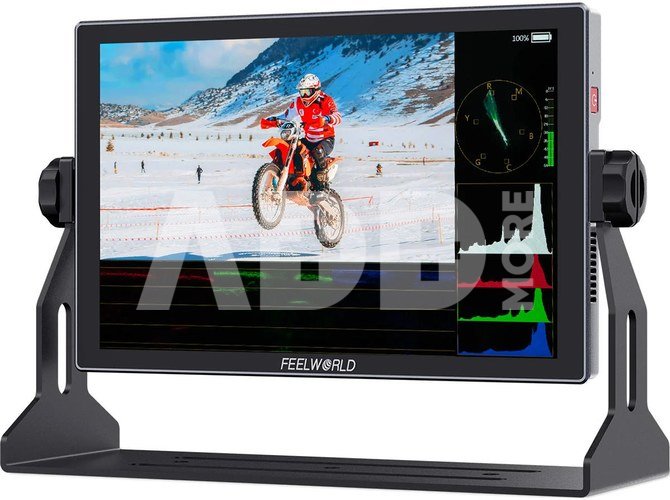
Built-in waveform monitoring, you can choose from waveform (RGB Parade, YUV Parade, Y Parade), vector scope, histogram, audio phase and level displays, and get broadcast accurate waveform monitoring that shows everything you need to know technically about your video and audio signals. The functions can be opened separately, and also support one key to open all scope mode. S10 becomes the ideal choice for live production monitoring, so you no longer need to use a separate expensive scopes!
16-channel Audio Meter Level
S10 can de-embedded audio from SDI and HDMI. Under HDMI, you can select 2 channels, 4 channels, 8 channels audio meters display; under SDI, you can select 2 channels, 4 channels,8 channels, 16 channels audio meters display . You also can move it horizontal or vertical position , and don' worry cover the image.
12G-SDI & 4K HDMI Input and Output
Equipped with 12G-SDI and 4K HDMI inputs and outputs, support up to 4096x2160/60p &3840x2160/60p signal, compatible with professional camcorder and the latest DSLR cameras on the market. In addition, S10 also comes with a 3G-SDI output and provide a 3.5mm headphone jack to monitor audio.
HDMI and SDI Cross Conversion
S10 built-in signal cross conversion, allows you to convert HDMI to SDI signal or SDI to HDMI signal. You can easy to convert signals and needn't the additional converters. Can be used for various broadcasting and live production. Note: To use signal cross conversion, please set HDMI OUT as"Display"(enter main menu--System--Source--Output Source--HDMI OUT--Display)
3-color Tally Light
S10 including tally light, it can display in red, green or yellow Tally signal. This means during live production you will always know when you are recording or on-air, or you can see which camera is cued up on your switcher's preview output. Tally is connected via an industry standard parallel pin connector on the rear panel.
Flexible Power Supply
You can connect to DC power input to get continuous power (suitable for DC 5.5*2.1mm power plug) or use the standard F970 dual battery plate to install NP-F series battery for mobile application. Install one F970 battery (6600mah) last for about 2 hours. The upper right coner of monitor will display battery level after the battery installed two batteries are installed at the same time, when one is running low, you can quickly switch to the other one without worrying about losing power midway. The V-mount battery plate is for optional.
Note: the battery not including, please purchase separately. Higher capacity (working time) will be longer
Multiple Mounting Points
The monitor is equipped with 3 standard 1/4”mounting threads (bottom, right side, left side), you can easily mount it on the camera or other types of equipment with a magic arm, bracket, etc.. Meet the different monitoring for photographer or director.





















Atsiliepimai
0 vidutinis įvertinimas (0 įvertinimų)