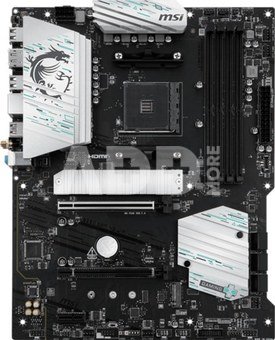
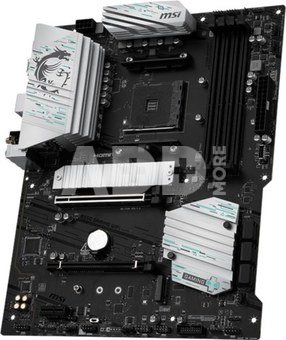
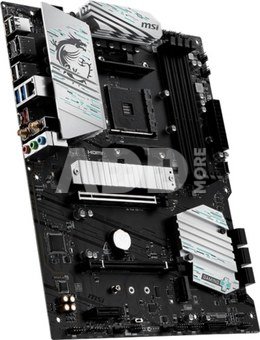
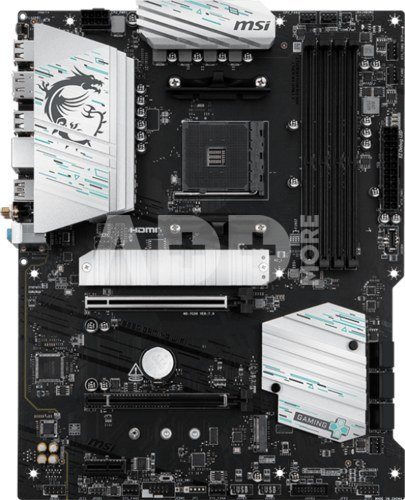
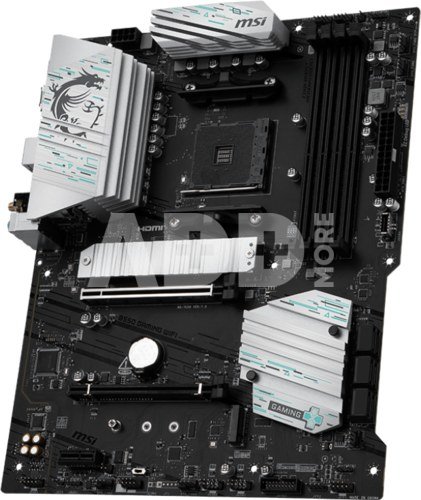
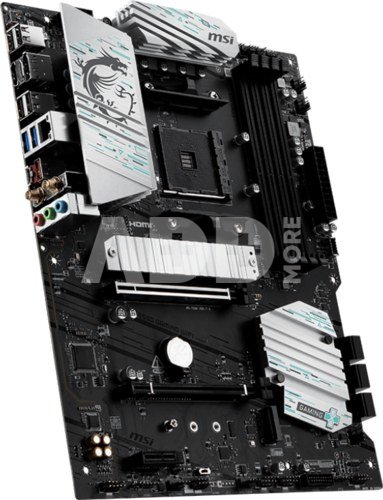
MSI B550 GAMING WIFI | Processor family AMD | Processor socket AM4 | DDR4 | Supported hard disk drive interfaces SATA, M.2 | Number of SATA connectors 6
Kodas: 69983RME
Gamintojo kodas: B550 GAMING WIFI
Įsiminti
The B550 GAMING WIFI is crafted to offer extensive connectivity, versatile tools, and Wi-Fi solution for gamers seeking a comprehensive experience. Featuring an 1G LAN, Wi-Fi and PCIe 4.0 solution, it is ready for 24/7 non-stop gaming optimized for AMD Ryzen™ 5000 Series, 5000 G-Series, 4000 G-Series, and 3000 Series processors.
Have trouble turning screws? MSI innovative EZ M.2 clip assist you install an M.2 SSD quickly and effortlessly.
One Finger for EZ GPU Installation
The enlarged PCI-E clip helps you swap or remove your devices easier. Keep the PCI-E slot stronger and safer.
Clear CMOS Button
Restore the BIOS to the default settings – helpful in 99% of the cases to successfully boot again.
10+2+1 Duet Rail POWER system
Unleash and sustain maximum performance with a flagship VRM design built with a total of 10 + 2 + 1 digital power phases. With a 8-pin power connector, B550 GAMING WIFI is ready for the challenge of heavy-loading tasks.
OPTIMIZED PCB SOLUTION
The PCB design has been optimized for higher bandwidth and faster transfer speeds, which is also beneficial for reliable circuit transmission.
Extended Heatsink
Extended Heatsink enlarges the surface of heat dissipation and maintain the performance at heavy loads.
M.2 Shield Frozr
Strengthened M.2 thermal solution helps keep M.2 SSD safe and ensures incredible performance.
7W/mK Thermal Pad & Additional Choke Pad
High-quality 7W/mK MOSFET thermal pads and additional choke thermal pads ensure stable performance when all cores are running at high speed.
Chipset Heatsink
The PCH heatsink is designed to reduce dust and noise and capable of maintaining high efficiency of heat dissipation.
FAST AND FUTURE-READY STORAGE
MSI Gaming series motherboards support all the latest storage standards, which allows users to connect any ultra-fast storage device. Start games faster, load levels faster and have a real advantage over your enemies.
HIGH-BANDWIDTH AND LOW-LATENCY NETWORK
MSI's premium network solution provides incredible data transfer speed for demanding users.
LIGHTNING GEN 4 PCI-E
MSI lightning Gen 4 PCI-E represents the bandwidth of a x16 interface to 64GB/s that has doubled compared to its previous generation.
REINFORCED,
HEAVY SOLDERED CONNECTIONS
MSI PCI Express Steel Armor slots are secured to the motherboard with extra solder points and support the weight of heavy graphics cards. When every advantage in games counts, Steel Armor shields the point of contact from electromagnetic interference.
The Isolated Analogy Structure for Audio Connectors
To provide clear voice, MSI develops a unique structure – Isolated Analogy Structure. The external metal framework of the audio connectors is separated from the internal layout, which ensures the sound quality crisp.
Splash on some color and vibrant RGB lighting effects using Mystic Light utility of MSI Center, which has million colors and fancy LED effects. Enjoy the full control and creativity of your PC's lighting with one software.
Add more color if you want! Mystic Light Extension pin header provides an intuitive way to control additional RGB strips and other RGB peripherals added to a system, without needing a separate RGB controller.
Get more from a loaded BIOS designed for ease of use. Fine-tune the motherboard for gaming performance, efficiency, or overclocking world records!
MSI brand new MSI Center unifies a suite of MSI software utilities into a single centralized application. Take control of advanced motherboards features and unleash endless possibilities.
- Supports AMD Ryzen™ 5000 Series, 5000 G-Series, 4000 G-Series, and 3000 Series processors
- Ultra Performance: 10+2+1 Phase Duet Rail Power System (55A DrMOS), 8-pin CPU power connector, Core Boost, Memory Boost, 4-layer PCB with 2oz thickened copper
- Supports DDR4 Memory, up to 4400(OC) MHz
- Frozr Guard: Extended Heatsink, MOSFET thermal pads rated for 7W/mK, additional choke thermal pads and M.2 Shield Frozr are built for high performance system and non-stop experience
- Lightning Fast Game experience: PCIe 4.0 slot, Lightning Gen 4 x4 M.2, Front USB Type-C
- High-speed Connectivity: Wi-Fi 5 Solution with 1G LAN - The latest solution for professional and multimedia use, delivering secure, stable, and high-speed networking and data transmission
- Audio Boost: Reward your ears with studio-grade sound quality for the most immersive gaming experience
Garantinis laikotarpis
36 mėnesių
Svoris
1.66 kg
Pristatymo laikas
1-4 d.d.
Aptarkite su konsultantu Kaune
Neturime
Kaunas Adresas: Birželio 23-iosios g. 23g Darbo laikas: I-V 09:00 - 18:00 VI-VII nedirba Telefonas: +370 674 59488
Aptarkite su konsultantu Klaipėdoje
Neturime
Klaipėda Adresas: Taikos pr. 17 Darbo laikas: I-V 10:00 - 19:00 VI 10:00 - 14:00 VII nedirba Telefonas: +370 604 43972
1. Kaip pasirinkti tinkamą klaviatūrą ir pelę savo kompiuteriui?
Norint pasirinkti tinkamą klaviatūrą ir pelę savo kompiuteriui svarbu atsižvelgti į asmeninius poreikius ir naudojimo būdą. Klaviatūros pasirinkimas priklauso nuo jūsų darbo pobūdžio, ergonominių poreikių ir asmeninio komforto. Jei daug laiko praleidžiate rašydami, svarbu rinktis klaviatūrą su maloniu klavišų paspaudimu ir ergonomišku dizainu, kuris sumažina rankų ir pečių įtempimą. Specializuotos klaviatūros, kuriose yra papildomų funkcijų, pavyzdžiui, programuojamų klavišų arba spalvotų šviesų, gali pagerinti naudotojo patirtį. Pelės pasirinkimas gali priklausyti nuo jūsų darbo pobūdžio – grafikos dizaineriams arba žaidimų entuziastams gali reikėti aukštos raiškos ir didelio jautrumo pelės. Ergonominės pelės su daugiau nei vienu mygtuku gali palengvinti darbą su įvairiomis programomis. Be to, svarbu atkreipti dėmesį į sąveiką su jūsų kompiuterio tipu (ar tai belaidė, ar laidinė klaviatūra ir pelė) bei patogią ergonomiją. Prieš perkant, būtina išbandyti klaviatūrą ir pelę, kad įsitikintumėte, jog jos atitinka jūsų poreikius ir yra patogios naudoti.
2. Kokios yra geriausios aušinimo sistemos kompiuteriui?
Geriausią aušinimo sistemą galima pasirinkti atsižvelgiant į kompiuterio naudojimo scenarijų. Vandens aušinimas dažnai būna efektyvus, ypač esant dideliam apkrovimui, o oro aušinimas yra paprastesnis ir pigesnis variantas. Keletas populiarių aušinimo būdų apima: 1) Oro aušinimas (Air Cooling): Paprasta ir ekonominė alternatyva, naudojanti didelius ventiliatorius, šilumos vamzdžius ir radiatorius. Šis būdas tinka vidutinio ir žemo lygio naudotojams. 2) Vandens aušinimas (Liquid Cooling): Ši sistema naudoja specialų šilumos siurblių ir vamzdžių rinkinį, leidžiantį aušinti komponentus vandeniu. Tai dažnai naudojama su pažangesniais procesoriais ir vaizdo plokštėmis, tačiau reikalauja tikslaus diegimo. 3) Phase Change Cooling: Labai efektyvi sistema, kuri naudoja šaltus dujų ciklus, kad transformuotų dujas į skysčius ir atvirkščiai. Tai brangesnė alternatyva, bet suteikia itin efektyvų aušinimą. 4) Termoelektrinė (Peltier) sistema: Šio tipo sistema naudoja Peltier elementus, kurie gali perkelti šilumą iš vienos pusės į kitą, priklausomai nuo elektros srovės krypties. Ši sistema gali būti derinama su kitomis aušinimo metodikomis. Geriausią pasirinkimą lemia naudojimo atvejis, biudžetas ir pageidaujamas efektyvumas. Priklausomai nuo to, ar norite paprasto, bet patikimo oro aušinimo, ar pažangesnės technologijos su vandeniu, turite rinktis tai, kas geriausiai atitinka jūsų poreikius.
















Atsiliepimai
0 vidutinis įvertinimas (0 įvertinimų)