

+370 462 46444
I-V 10:00-19:00
VI 10:00-14:00

AXAGON HMC-H3A USB hub 4in1 5Gbps HDMI 3xUSB-A USB-

AXAGON HMC-H3A USB hub 4in1 5Gbps HDMI 3xUSB-A USB-
Kodas: 20938ABL
Gamintojo kodas: HMC-H3A
Įsiminti
EU sandėlyje
Pristatymas 10-14 d.d.
Pasirinkite savybes
Spalva
27.99
Nuomoti(nuo €/diena)
Pratęsta garantija
Prekės draudimas

Nemokamai atsiimkite Kaune, parduotuvėje (Birželio 23-iosios g. 23g) Birželio 25 d.

Nemokamai atsiimkite Klaipėdoje, parduotuvėje (Taikos pr. 17) Birželio 25 d.

Pristatysime į namus per kurjerių tarnybą Birželio 27 d.

Turite klausimų? +370 462 46444 Siųskite užklausą

AprašymasAXAGON HMC-H3A USB hub 4in1 5Gbps HDMI 3xUSB-A USB- aprašymas

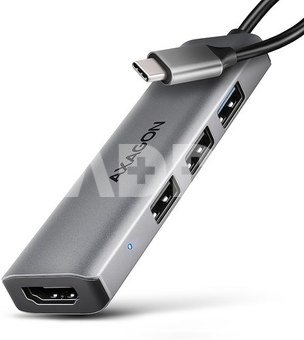
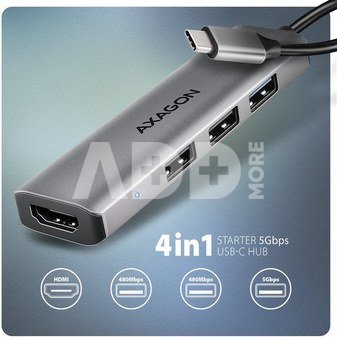
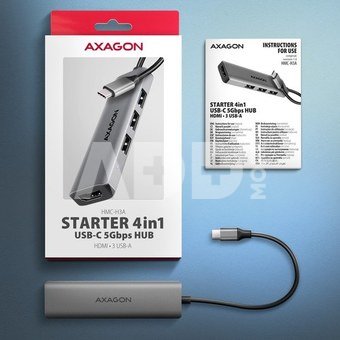
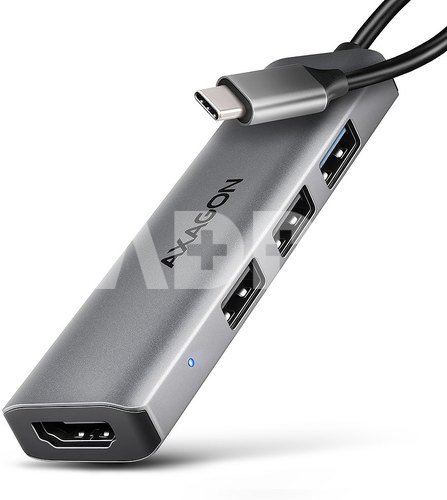
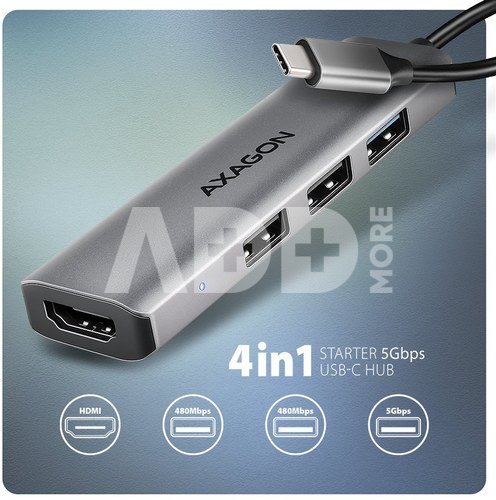
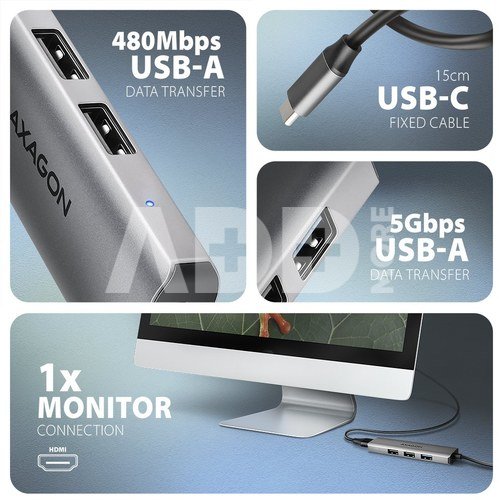
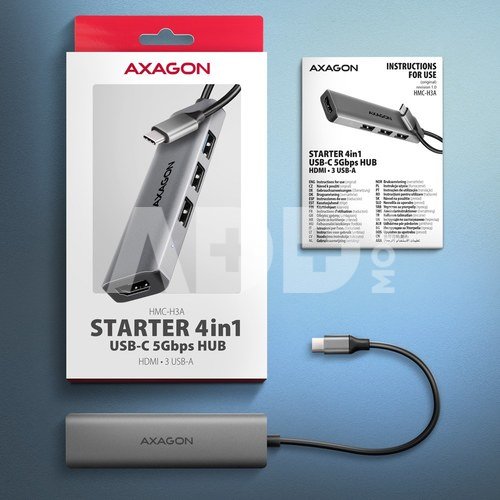
The multi-port USB-C 5Gbps AXAGON HMC-H3A STARTER 4in1 hub expands your laptop, computer or phone with four ports. Connect your laptop to the hub via a 15 cm long USB-C cable. You immediately have connectors to connect a monitor and three USB devices at the same time.

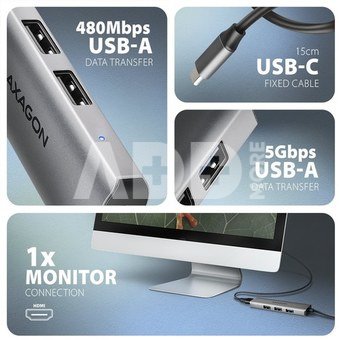
The USB hub offers three USB outputs, two with USB-A 480Mbps and the third with USB-A 5Gbps. Transfer rate is up to 5Gb/s thanks to USB 3.2 Gen 1 interface. The hub can also handle permanent connection of several external drives simultaneously.

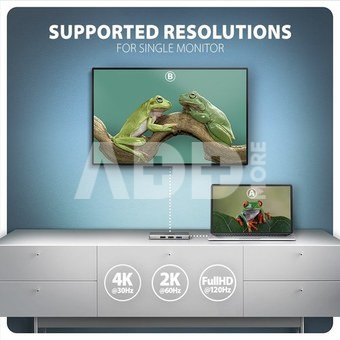
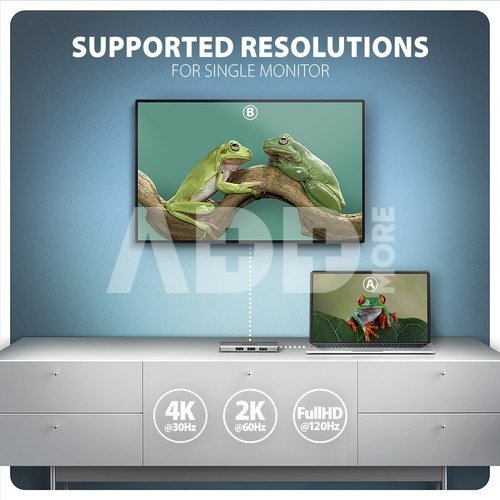
The HDMI output enables the connection of an external monitor, TV or projector with a resolution of up to 4K/30Hz Ultra HD, 2K/60Hz Quad HD or 1080p/120Hz Full HD and the transmission of multi-channel audio.

The compact and slim aluminium body not only looks great, but also provides mechanical durability and passive cooling. You will also be pleased with the finely textured surface, which does not leave fingerprints.

USB-C hub is an ideal accessory for laptops without USB-A connectors and video output. You can use your current USB peripherals without having to purchase new ones. Thanks to the Plug and Play and Hot Plug functions, connecting the hub itself is very simple without complicated installation, and peripherals can also be easily connected and disconnected while the computer is running. 

For the hub to function properly, your laptop's USB-C port must support video output (DisplayPort Alternate Mode or Thunderbolt 3, 4 and above).

The hub can easily connect to phones with a USB-C connector. For example, you can connect a flash drive, keyboard, mouse, display, TV or projector to the phone.

Input (computer, tablet or phone connection):
USB 5Gbps (USB 3.2 Gen 1 / USB 3.0), USB-C male connector.
Compatible with USB 10Gbps, USB4, Thunderbolt 3/4.

USB outputs:
2x USB 480Mbps port, USB-A female connector.
1x USB 5Gbps port, USB-A female connector.
USB-C hub can handle the connection of several external drives at the same time.

Video outputs:
1x HDMI port, HDMI A female connector.

Maximum supported resolution:
1 monitor - up to 4K/30Hz Ultra HD, 2K/60Hz Quad HD, 1080p/120Hz Full HD. 

Video features:
For Apple devices running macOS, the maximum refresh rate is usually limited to 60Hz.
DisplayPort Alternate Mode (DP Alt Mode) enabled USB-C port or Thunderbolt 3 port is necessary for the proper function of video output. A suitable updated OS and up-to-date graphics drivers are also required.
HPD (Hot-Plug-Detect) support.
TMDS (Transition Minimized Differential Signalling) support.
HDCP 1.4 and 2.3 (High-bandwidth Digital Content Protection) full support.
Up to 8-channel LPCM audio, compressed audio (AC-3, DTC) and HBR audio format support.
Supports sample rates up to 192 kHz and up to 24-bit audio - depends on the source and destination device, i.e. laptop/phone and TV/monitor/AV receiver.

Other features:
Possibility to connect your device while running thanks to the Hot Plug support.
Full Plug and Play support. 
Standby mode support.
Power supply via USB bus (USB bus power).
The blue LED indicates with constant light the hub connection to the computer.
High quality shielded cable ensures fast communication speed and minimal unwanted interference.
Dimensions 11 x 95 x 26 mm (H x W x D).
Weight 34 g (incl. cable).
USB-C cable 15 cm long for connecting the hub to a laptop.

Supported operating systems:
Windows 10 / 11, macOS, iPadOS, iOS, Linux, Chrome OS and Android. 
Compatibility depends on the operating system and device manufacturer support.
DisplayPort Alternate Mode (DP Alt Mode) is only supported in updated OS and also depends on support from device (notebook, tablet, phone).
Graphics card drivers may also affect the correct operation of the product. We recommend downloading the latest version of drivers.

Package contains:
USB-C hub with fixed 15 cm long cable,
multilingual manual CZ / DE / DK / ENG / ESP / EST / FIN / FR / GR / HR / HU / IT / LT / LV / NL / NOR / PL / PT / RO / SK / SLO / SRB / SWE / TR / UA / ALB / BG / BOS / CN / ARA,
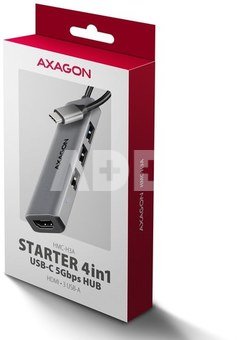
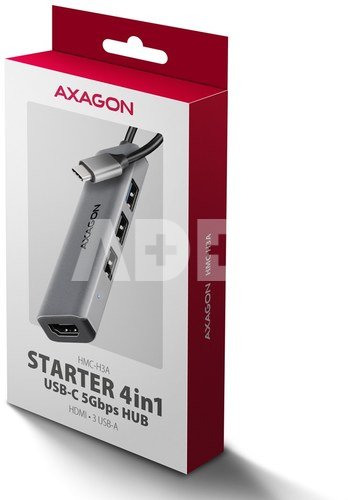
packed in a cardboard box with a hanging hole.

Garantinis laikotarpis 24 mėnesių

Svoris 0.079 kg

Pristatymo laikas 10-14 d.d.

Aptarkite su konsultantu Kaune

Neturime Kaunas Adresas: Birželio 23-iosios g. 23g Darbo laikas: I-V 09:00 - 18:00 VI-VII nedirba Telefonas: +370 674 59488
Kaunas

Aptarkite su konsultantu Klaipėdoje

Neturime Klaipėda Adresas: Taikos pr. 17 Darbo laikas: I-V 10:00 - 19:00 VI 10:00 - 14:00 VII nedirba Telefonas: +370 604 43972
Klaipėda
Specifikacija
Gamintojas(?) AXAGON
Garantinis laikotarpis 24 mėnesių
Svoris 0.079 kg
Pristatymo laikas 10-14 d.d.
Prekės kodai

20938ABL HMC-H3A 8595247908698

Atsiliepimai

0 vidutinis įvertinimas (0 įvertinimų)

 0
 0
 0
 0
 0

Palikite atsiliepimą

Vertinti gali tik prisijungę vartotojai.

Palikti pirkėjų atsiliepimai (0)

Atsiliepimų kol kas nėra. Būk pirmas!

1. Kaip pasirinkti tinkamą klaviatūrą ir pelę savo kompiuteriui?

Norint pasirinkti tinkamą klaviatūrą ir pelę savo kompiuteriui svarbu atsižvelgti į asmeninius poreikius ir naudojimo būdą. Klaviatūros pasirinkimas priklauso nuo jūsų darbo pobūdžio, ergonominių poreikių ir asmeninio komforto. Jei daug laiko praleidžiate rašydami, svarbu rinktis klaviatūrą su maloniu klavišų paspaudimu ir ergonomišku dizainu, kuris sumažina rankų ir pečių įtempimą. Specializuotos klaviatūros, kuriose yra papildomų funkcijų, pavyzdžiui, programuojamų klavišų arba spalvotų šviesų, gali pagerinti naudotojo patirtį. Pelės pasirinkimas gali priklausyti nuo jūsų darbo pobūdžio – grafikos dizaineriams arba žaidimų entuziastams gali reikėti aukštos raiškos ir didelio jautrumo pelės. Ergonominės pelės su daugiau nei vienu mygtuku gali palengvinti darbą su įvairiomis programomis. Be to, svarbu atkreipti dėmesį į sąveiką su jūsų kompiuterio tipu (ar tai belaidė, ar laidinė klaviatūra ir pelė) bei patogią ergonomiją. Prieš perkant, būtina išbandyti klaviatūrą ir pelę, kad įsitikintumėte, jog jos atitinka jūsų poreikius ir yra patogios naudoti.

2. Kokios yra geriausios aušinimo sistemos kompiuteriui?

Geriausią aušinimo sistemą galima pasirinkti atsižvelgiant į kompiuterio naudojimo scenarijų. Vandens aušinimas dažnai būna efektyvus, ypač esant dideliam apkrovimui, o oro aušinimas yra paprastesnis ir pigesnis variantas. Keletas populiarių aušinimo būdų apima: 1) Oro aušinimas (Air Cooling): Paprasta ir ekonominė alternatyva, naudojanti didelius ventiliatorius, šilumos vamzdžius ir radiatorius. Šis būdas tinka vidutinio ir žemo lygio naudotojams. 2) Vandens aušinimas (Liquid Cooling): Ši sistema naudoja specialų šilumos siurblių ir vamzdžių rinkinį, leidžiantį aušinti komponentus vandeniu. Tai dažnai naudojama su pažangesniais procesoriais ir vaizdo plokštėmis, tačiau reikalauja tikslaus diegimo. 3) Phase Change Cooling: Labai efektyvi sistema, kuri naudoja šaltus dujų ciklus, kad transformuotų dujas į skysčius ir atvirkščiai. Tai brangesnė alternatyva, bet suteikia itin efektyvų aušinimą. 4) Termoelektrinė (Peltier) sistema: Šio tipo sistema naudoja Peltier elementus, kurie gali perkelti šilumą iš vienos pusės į kitą, priklausomai nuo elektros srovės krypties. Ši sistema gali būti derinama su kitomis aušinimo metodikomis. Geriausią pasirinkimą lemia naudojimo atvejis, biudžetas ir pageidaujamas efektyvumas. Priklausomai nuo to, ar norite paprasto, bet patikimo oro aušinimo, ar pažangesnės technologijos su vandeniu, turite rinktis tai, kas geriausiai atitinka jūsų poreikius.










