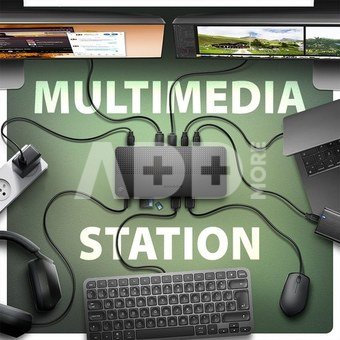
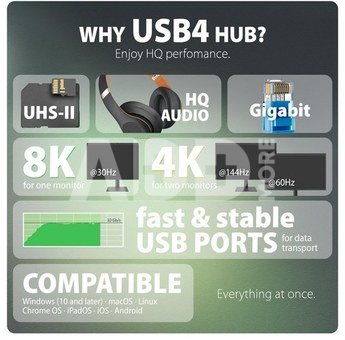
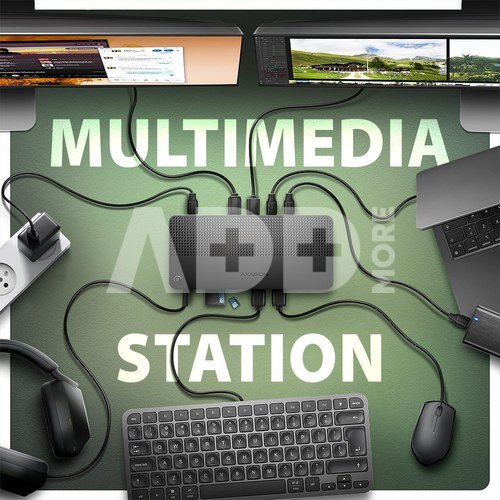
AXAGON HMC-U4 DUAL 4K DISPLAY dock turns your laptop, tablet or phone into a multimedia centre. With the next generation USB4 technology, this docking station offers a total data throughput of up to 40 Gbps. So, you can take full advantage of even the most demanding computer accessories and enjoy a high-end experience. Whether you're watching 8K video or working with two 4K monitors simultaneously, this technology delivers the performance you need. USB4 offers the benefit of Thunderbolt compatibility while supporting backward compatibility with previous generations of USB.
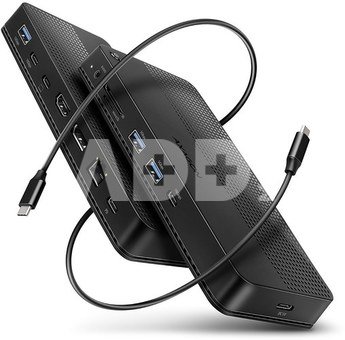
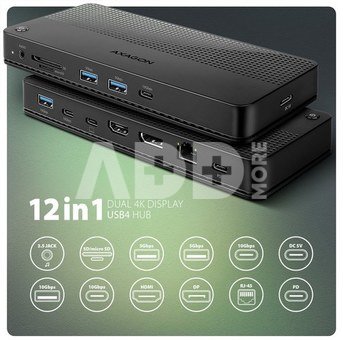
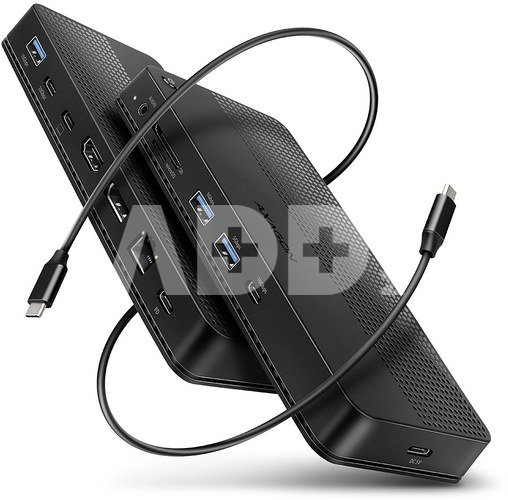
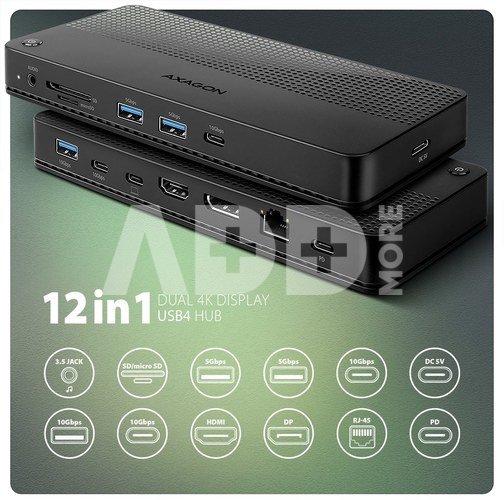
You will connect your laptop to the 12in1 docking station via the supplied 80 cm long cable. In no time, you have fast SD (UHS-II) and microSD card reader, and connectors for connecting two external monitors, five USB devices, headphones or headset, and Power Delivery power. However, it is necessary that the USB-C port of your mobile device supports video output (DisplayPort Alternate Mode) and Power Delivery power.
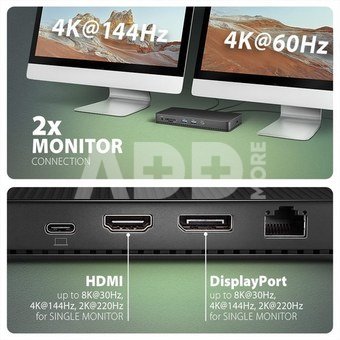
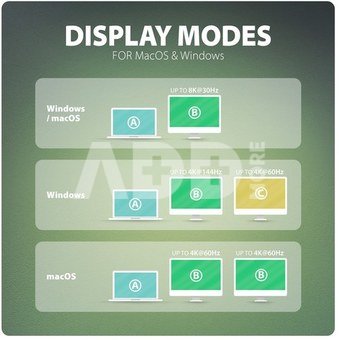
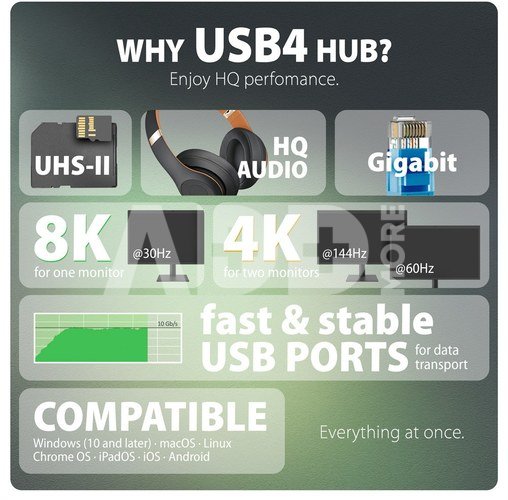
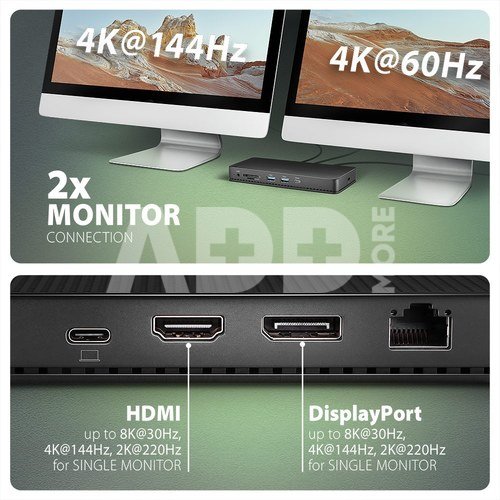
HDMI and DisplayPort outputs allows you connect an external monitor, TV or projector with up to 8K/30Hz Ultra HD, 4K/144Hz Ultra HD or 2K/240Hz Quad HD resolution, with support for multi-channel audio streaming. With HDR support, you can enjoy a richer colour spectrum and sharper contrasts for an even better visual experience. By connecting two monitors simultaneously, you get resolutions up to 4K/144Hz on the DP port output and 4K/60Hz on the HDMI output. All supported resolutions and features are directly dependent on the support of the connected monitor and laptop.
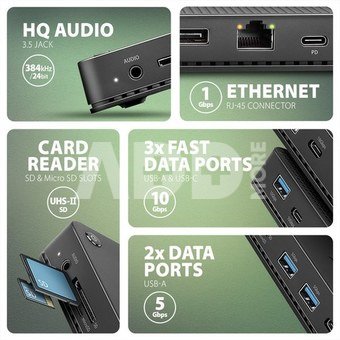
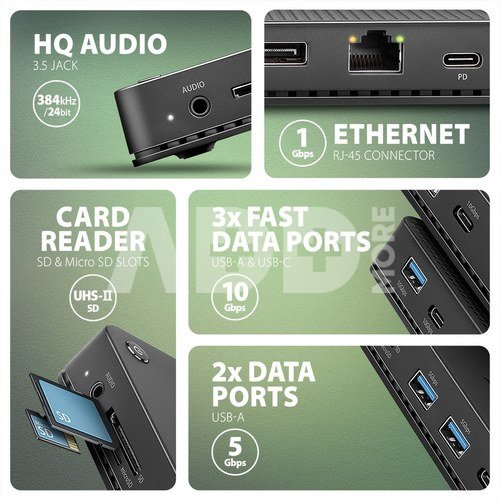
The docking station has a total of three 10Gbps USB-C (2x) and USB-A (1x) outputs, as well as two 5Gbps USB-A outputs. These five USB ports allow you to connect external drives, flash drives, mouse, printer and other USB accessories. The USB ports also charge mobile phones and tablets with a power of up to 7.5W.
The memory card reader supports reading and writing of all versions of SD (UHS-II) and microSD (UHS-I) cards with a capacity of up to 2TB. UHS-II cards reach speeds of up to 156 MB/s (full-duplex) or 312 MB/s (half-duplex), support for older UHS-I cards (max speed 104 MB/s) is a matter of course. The card reader enables simultaneous handling of cards in both slots and direct copying between them.
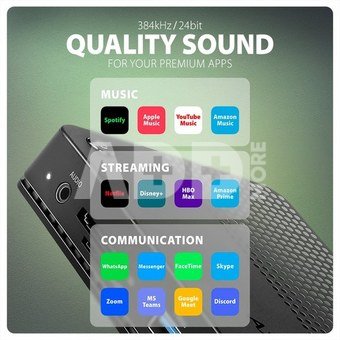
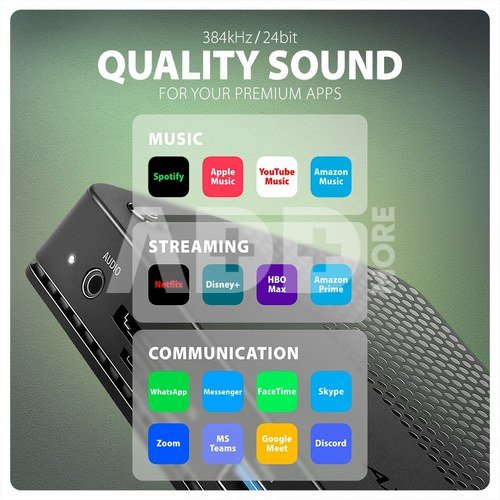
You can use the 3.5 mm audio output to connect stereo headphones, headset or active speakers. It is equipped with a high-quality DAC converter, which supports sampling up to 384 kHz at 24 bits. You will enjoy superior sound quality that is ideal for lossless formats such as FLAC, WMA, WAV, APE, AAC and ALAC.
Gigabit network card extends your computer by a fast and stable network connection, adds the missing RJ-45 network connector or another network card.
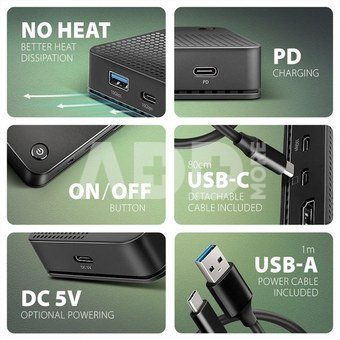
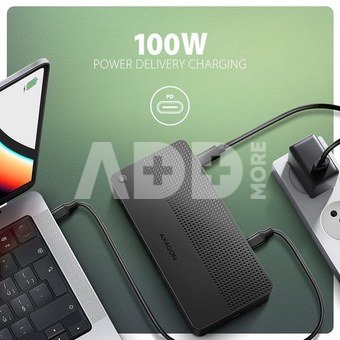
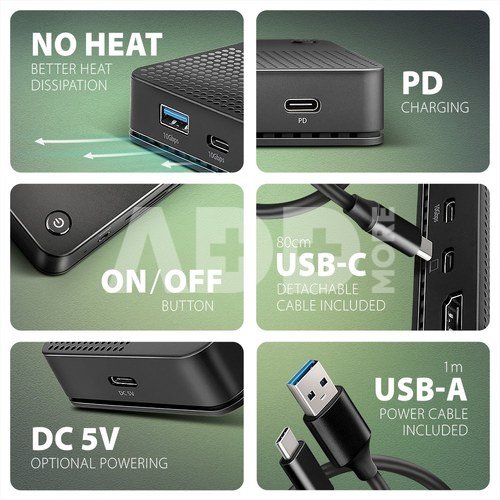
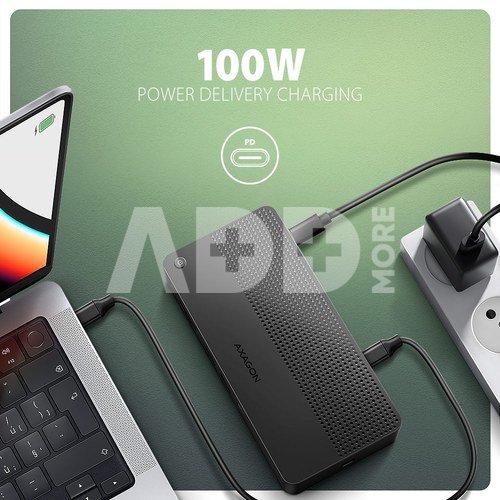
The USB-C (PD) input is designed for a suitable Power Delivery charger. This allows both your mobile device and the dock to be powered directly from the PD charger using Power Delivery 3.0 technology with up to 100W of power. With the additional power supply via USB-C input (DC 5V), you can boost the power supply when operating without a PD charger connected and connect devices with higher power consumption such as multiple external drives to the multiport hub.
The button on the top of the dock is used to turn the dock on and off. Thanks to the clever design with four rubber feet, the station stays firmly in place. Elegant ribbed surface on the top leaves no fingerprints. Vents on the underside ensure sufficient air circulation so that the dock does not overheat even at higher loads.
Input (connection to computer or mobile device):
USB4 40Gbps (USB4 Version 1.0), USB-C female connector.
Compatible with Thunderbolt 3/4, USB 10Gbps, USB 5Gbps.
Input (power supply):
USB Power Delivery 3.0 - 100W connector (only for charging), USB-C female (PD) connector.
PD power must be supported by both the mobile device and the mains charger.
Additional power supply for external drives connected via hub, USB-C female connector (DC 5V). Recommended power supply 5V/2A.
USB outputs:
2x USB 5Gbps port, USB-A female connector.
1x USB 10Gbps port, USB-A female connector.
2x USB 10Gbps port, USB-C female connector.
USB-C hub can handle the connection of two external drives simultaneously.
Charging of mobile devices (including iPad) with a current of up to 1.5A from the hub's USB-A ports.
Video outputs:
1x HDMI A port, HDMI A female connector.
1x DP port, DisplayPort female connector.
Maximum supported resolution:
Laptop with USB4 40Gbps or Thunderbolt 4 port:
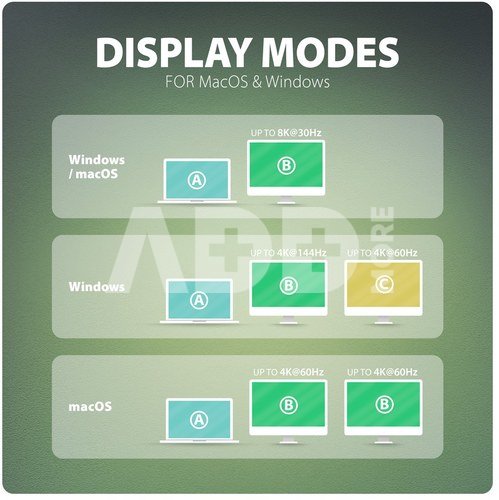
1 monitor - up to 8K/30Hz, 4K/144Hz Ultra HD, 2K/240Hz Quad HD, 1080p/360Hz Full HD
2 monitors - up to 4K/144Hz + 60Hz Ultra HD, 2K/240Hz + 144Hz Quad HD, 2x 1080p/240Hz Full HD
Notebook with USB 10Gbps port:
1 monitor - up to 8K/30Hz, 4K/144Hz Ultra HD, 2K/240Hz Quad HD, 1080p/360Hz Full HD
2 monitors - up to 2x 4K/60Hz Ultra HD, 2x 2K/144Hz + 144Hz Quad HD, 2x 1080p/240Hz Full HD
Video features:
Also compatible with devices with Thunderbolt 3 ports.
For Apple devices running macOS, the maximum refresh rate is usually limited to 60Hz.
To achieve maximum resolution and frequency values on video outputs, the dock must be plugged into a USB-C port supporting DisplayPort Alternate Mode (DP Alt Mode) version min. 1.4 or a USB-C port supporting min. Thunderbolt 4. A suitable updated OS and up-to-date graphics drivers are also required.
HDR support (High dynamic range, 10 bit support) - realistic reproduction of light and dark details.
HPD (Hot-Plug-Detect) support.
TMDS (Transition Minimized Differential Signalling) support.
HDCP 1.4 and 2.3 (High-bandwidth Digital Content Protection) full support.
Up to 8-channel LPCM audio, compressed audio (AC-3, DTC) and HBR audio format support.
Supports sample rates up to 192 kHz and up to 24-bit audio - depends on the source and destination device, i.e. laptop/phone and TV/monitor/AV receiver.
The card reader - two slots:
Micro SD slot: microSD / microSDHC / microSDXC / TransFlash,
SD slot: SecureDigital, SDHC, SDXC, MultiMedia Card, MMC 4.0, MMC Dual Voltage, MMC mobile, RS-MMC, with adapter - miniSD, microSD / microSDHC / microSDXC, MMC Micro.
SD UHS-II support. Speeds up to 156 MB/s Full Duplex or 312 MB/s Half Duplex.
Support SD 1.0 to SD 4.0 (SDXC - Secure Digital eXtended Capacity, up to 2TB).
MicroSD UHS-I support. Speed up to 104 MB/s.
Support hardware ECC function and CRC function.
2 LUN - the reader is indicated as two disk drives. The possibility of copying from card to card.
Audio output / input:
1x 3.5 mm 4 pin jack for headset, headphones or active speakers,
2-channel analog stereo output 384 kHz @ 24bit for playback,
192 kHz @ 24 bit analog microphone input for recording.
RJ-45 output:
Gigabit Ethernet interface with RJ-45 connector for UTP or STP cable connection.
Supported transmission rates for the Ethernet interface 10/100/1000 Mb/s.
Supported IEEE 802.3 10Base-T, IEEE 802.3u 100Base-TX, IEEE 802.3ab 1000Base-T specifications.
10/100/1000 Mb/s auto-detection.
Other features:
Possibility to connect your device while running thanks to the Hot Plug support.
Full Plug and Play support.
Standby mode support.
Power supply via USB bus (USB bus power).
Power supply via PD charger (not included).
Additional power supply for USB ports (USB-C DC 5V connector). Any USB charger (not included) with 5V output voltage and 2A current can be used.
ON/OFF buton to switch the docking station on/off.
The LED indicates the connection of the dock to the computer with a steady glow.
High quality shielded cable ensures fast communication speed and minimal unwanted interference.
Dimensions 188 x 80 x 20 mm.
Weight 164 g (without cable).
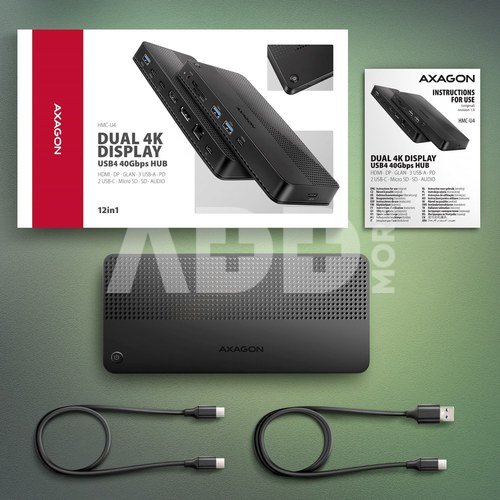
USB-C USB-C cable 80 cm long for connecting the dock to a laptop.
USB-A USB-C cable 100 cm long for connecting additional power supply.
Supported operating systems:
Microsoft Windows 10 / 11, macOS, iPadOS, iOS, Linux, Chrome OS and Android.
Compatibility depends on the operating system and device manufacturer support.
DisplayPort Alternate Mode (DP Alt Mode) is only supported in updated OS and also depends on support from device (notebook, tablet, phone).
Graphics card drivers may also affect the correct operation of the product. We recommend downloading the latest version of drivers.
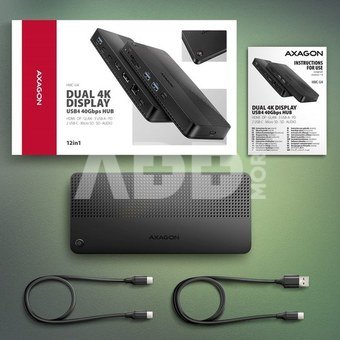
Package contains:
USB-C docking station,
cable (data) USB-C USB-C length 80 cm,
cable (power) USB-A USB-C length 100 cm,
multilingual manual CZ / DE / DK / ENG / ESP / FIN / FR / GR / HR / HU / IT / NL / PL / PT / RO / SK / SWE / TR / UA / BG / CN / ARA,
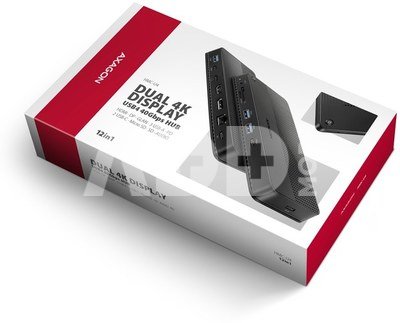
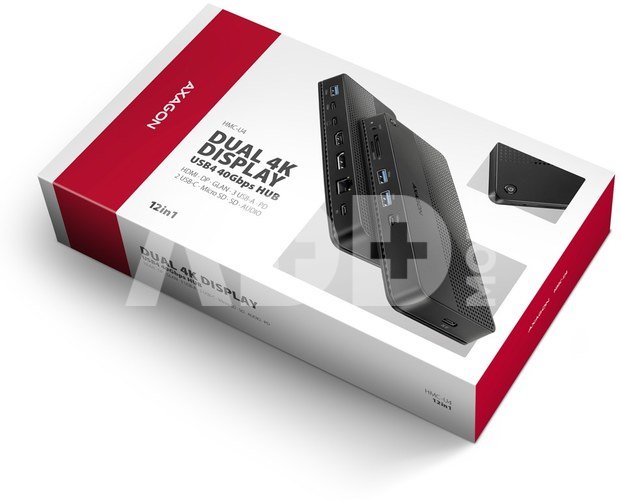
packed in a cardboard box.

















Atsiliepimai
0 vidutinis įvertinimas (0 įvertinimų)