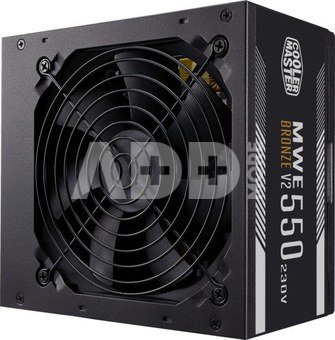
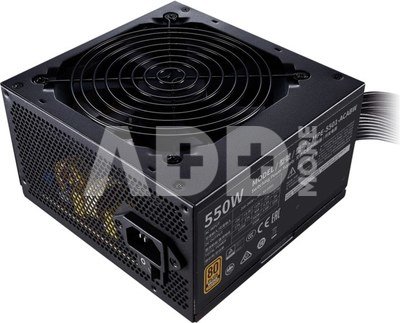
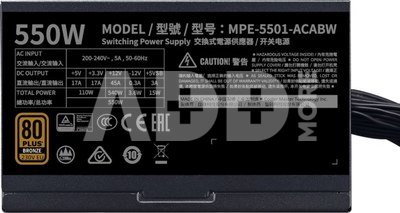
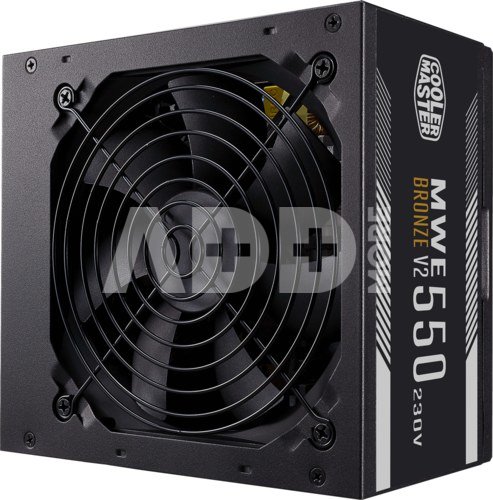
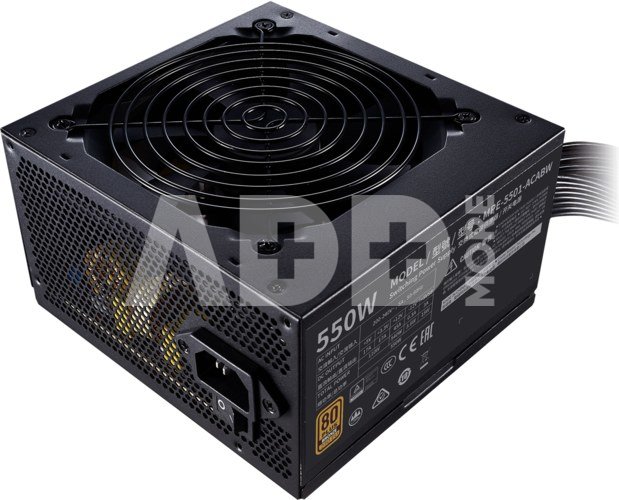
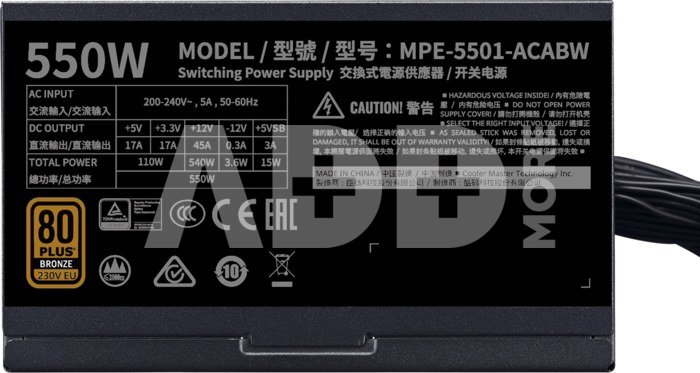
Cooler Master Power Supply MWE Bronze 550W V2 80+ Bronze
Kodas: 06332ABL
Gamintojo kodas: MPE-5501-ACABW-BEU
Įsiminti
POWER UP
The MWE Bronze V2 offers a simple, reliable way to power your system safely and efficiently at a low cost. The 80 PLUS Bronze efficiency rating, DC-to-DC + LLC circuit design, single +12V rail, active PFC, and temperature sensitive HDB fan offer a power supply unit that stays true to its original purpose. This PSU will handle all your core computing needs with none of the hassles or challenges of additional specialty features, software synchronization, or other bells and whistles. Just plug it into your system and get to work. For a great mid-tier computing experience, you can't go wrong with the MWE Bronze V2.
80 PLUS BRONZE CERTIFIED
It's important to understand what efficiency is and what the ratings actually mean. The efficiency rating indicates how much power is retained and/or lost when transferring it from the wall to your components. It does not indicate the overall quality of the PSU. A PSU doesn't need an 80 PLUS Gold rating to be safe and reliable. And a PSU with an 80 PLUS Gold rating isn't necessarily either of those things. The MWE Bronze V2 guarantees a typical efficiency of 85% while being both safe and reliable.
120MM HDB FAN
The constant struggle between cooling and noise is as old as the consumer PC industry itself. Keeping your components cool without having to hear about it while you work is still one of the greatest challenges for all fan based cooling technologies. The MWE Bronze's solution to this problem is a thermally sensitive 120mm HDB fan. It spins based on the system's temperature, constantly adjusting to keep your PSU running smoothly and safely with the minimum amount of noise required.
SINGLE +12V RAIL
Getting power from the wall to the PSU and then to your components is a tricky situation. The power comes in one voltage level, but your components need a different one. That power has to first be transferred to/through a converter in order to make it safe for your parts to use without overloading.
The lines/rails used to initially move power from the wall to the converter need to be reliable and consistent to ensure your system's overall performance. That's why the MWE Bronze only uses one +12V rail for this process. This way all the components in your system are constantly fed the same power from the same source in order to guarantee consistency between all connections.
DC-TO-DC CIRCUIT DESIGN
Power comes in multiple voltage levels. The wall delivers power in one voltage level but your components each need a specific voltage to operate properly. The process of converting raw power from the wall to the multiple voltage levels your components need requires special components to complete this process quickly, efficiently, and safely. The MWE White's DC-to-DC + LLC technology was painstakingly crafted to accomplish this goal. The Dual Forward circuit layout has been designed to convert 12V power to 3V and 5V levels with minimal ripple noise, 80 PLUS Bronze efficiency, and reduced risk to your connected components.
FLAT BLACK CABLES
For many PC Builders with aesthetics in mind, cabling can be one of the most troublesome parts of assembling a PC. Cables can be confusing, too short or too long, and they almost never look good. The MWE Bronze - V2 uses flat and flexible black cables to help deal with these problems. These cables are more discrete and flexible, making them easier to implement into your system while taking up less space. This is especially useful for smaller cases and preserving airflow.
Garantinis laikotarpis
60 mėnesių
Svoris
1.75 kg
Pristatymo laikas
0-4 d.d.
Aptarkite su konsultantu Kaune
Neturime
Kaunas Adresas: Birželio 23-iosios g. 23g Darbo laikas: I-V 09:00 - 18:00 VI-VII nedirba Telefonas: +370 674 59488
Aptarkite su konsultantu Klaipėdoje
Neturime
Klaipėda Adresas: Taikos pr. 17 Darbo laikas: I-V 10:00 - 19:00 VI 10:00 - 14:00 VII nedirba Telefonas: +370 604 43972
1. Kaip pasirinkti tinkamą klaviatūrą ir pelę savo kompiuteriui?
Norint pasirinkti tinkamą klaviatūrą ir pelę savo kompiuteriui svarbu atsižvelgti į asmeninius poreikius ir naudojimo būdą. Klaviatūros pasirinkimas priklauso nuo jūsų darbo pobūdžio, ergonominių poreikių ir asmeninio komforto. Jei daug laiko praleidžiate rašydami, svarbu rinktis klaviatūrą su maloniu klavišų paspaudimu ir ergonomišku dizainu, kuris sumažina rankų ir pečių įtempimą. Specializuotos klaviatūros, kuriose yra papildomų funkcijų, pavyzdžiui, programuojamų klavišų arba spalvotų šviesų, gali pagerinti naudotojo patirtį. Pelės pasirinkimas gali priklausyti nuo jūsų darbo pobūdžio – grafikos dizaineriams arba žaidimų entuziastams gali reikėti aukštos raiškos ir didelio jautrumo pelės. Ergonominės pelės su daugiau nei vienu mygtuku gali palengvinti darbą su įvairiomis programomis. Be to, svarbu atkreipti dėmesį į sąveiką su jūsų kompiuterio tipu (ar tai belaidė, ar laidinė klaviatūra ir pelė) bei patogią ergonomiją. Prieš perkant, būtina išbandyti klaviatūrą ir pelę, kad įsitikintumėte, jog jos atitinka jūsų poreikius ir yra patogios naudoti.
2. Kokios yra geriausios aušinimo sistemos kompiuteriui?
Geriausią aušinimo sistemą galima pasirinkti atsižvelgiant į kompiuterio naudojimo scenarijų. Vandens aušinimas dažnai būna efektyvus, ypač esant dideliam apkrovimui, o oro aušinimas yra paprastesnis ir pigesnis variantas. Keletas populiarių aušinimo būdų apima: 1) Oro aušinimas (Air Cooling): Paprasta ir ekonominė alternatyva, naudojanti didelius ventiliatorius, šilumos vamzdžius ir radiatorius. Šis būdas tinka vidutinio ir žemo lygio naudotojams. 2) Vandens aušinimas (Liquid Cooling): Ši sistema naudoja specialų šilumos siurblių ir vamzdžių rinkinį, leidžiantį aušinti komponentus vandeniu. Tai dažnai naudojama su pažangesniais procesoriais ir vaizdo plokštėmis, tačiau reikalauja tikslaus diegimo. 3) Phase Change Cooling: Labai efektyvi sistema, kuri naudoja šaltus dujų ciklus, kad transformuotų dujas į skysčius ir atvirkščiai. Tai brangesnė alternatyva, bet suteikia itin efektyvų aušinimą. 4) Termoelektrinė (Peltier) sistema: Šio tipo sistema naudoja Peltier elementus, kurie gali perkelti šilumą iš vienos pusės į kitą, priklausomai nuo elektros srovės krypties. Ši sistema gali būti derinama su kitomis aušinimo metodikomis. Geriausią pasirinkimą lemia naudojimo atvejis, biudžetas ir pageidaujamas efektyvumas. Priklausomai nuo to, ar norite paprasto, bet patikimo oro aušinimo, ar pažangesnės technologijos su vandeniu, turite rinktis tai, kas geriausiai atitinka jūsų poreikius.
















Atsiliepimai
0 vidutinis įvertinimas (0 įvertinimų)