+370 462 46444
I-V 10:00-19:00
VI 10:00-14:00

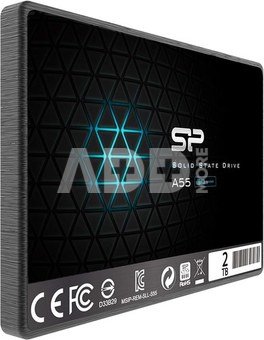
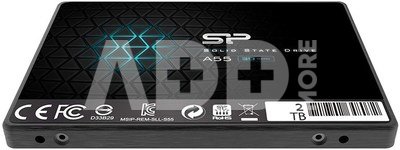
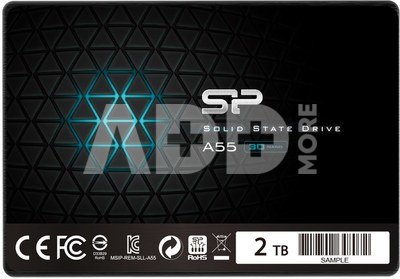
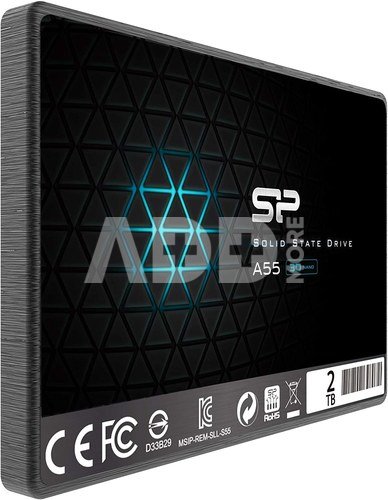
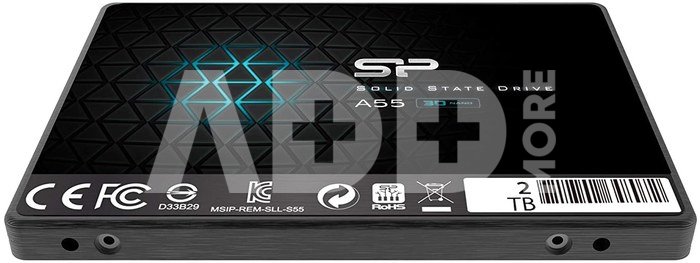
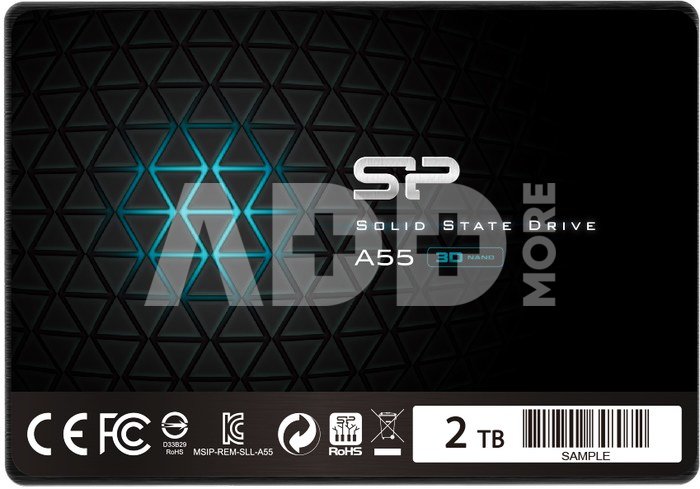
Silicon Power Ace A55 2000 GB, SSD form factor 2.5", SSD interface SATA III, Write speed 530 MB/s, Read speed 560 MB/s

Silicon Power Ace A55 2000 GB, SSD form factor 2.5", SSD interface SATA III, Write speed 530 MB/s, Read speed 560 MB/s
Kodas: 49433RME
Gamintojo kodas: SP002TBSS3A55S25
Įsiminti
EU sandėlyje
Pristatymas 0-4 d.d.
EAN
4713436124245
Pasirinkite savybes
Spalva
260.00
Nuomoti(nuo €/diena)
Pratęsta garantija
Prekės draudimas

Nemokamai atsiimkite Kaune, parduotuvėje (Birželio 23-iosios g. 23g) Liepos 12 d.

Nemokamai atsiimkite Klaipėdoje, parduotuvėje (Taikos pr. 17) Liepos 12 d.

Pristatysime į namus per kurjerių tarnybą Liepos 14 d.

Turite klausimų? +370 462 46444 Siųskite užklausą

AprašymasSilicon Power Ace A55 2000 GB, SSD form factor 2.5", SSD interface SATA III, Write speed 530 MB/s, Read speed 560 MB/s aprašymas

Ace A55

Accelerate your PC at a low cost

Dedicated to users looking for a cheap yet good drive, the Ace A55 is positioned as one of the most cost-effective models. With a SATA III 6Gb/s interface and an affordable price, anyone can upgrade their old PC without spending a fortune!

A real time saver!

Constantly wasting time launching and installing computer applications? It's time to get rid of your old drive and switch to a new SSD. Equipped with a SATA III 6Gbps interface, the Ace A55 SSD is able to launch your computer applications in seconds!

Simple and easy instructions for upgrading your computer. Only 3 steps to do it!

  • Step 1 Back up your data to another medium.
  • Step 2. Remove the old hard drive from your computer.
  • Step 3. Insert the SSD in place of the old HDD.

Extremely durable

Equipped with a high-speed controller and NAND Flash memory, the Ace A55 not only guarantees the stability and durability of an SSD, but also offers exceptional performance! It enables faster start-up, faster application loading times and faster data transfer speeds. Whether you're working on your computer, surfing the web or watching movies, you can enjoy lag-free computing.

Bad block management (BBM)

The Bad Block Management (BBM) mechanism can detect and mark corrupted blocks to avoid storing data in such blocks and eliminate access errors. Even if errors occur in new blocks during deletion, this mechanism can move data to other efficient blocks to prevent data loss.

A range of data security mechanisms.

The SP Ace A55 SSD is a leader in its class. It contains no moving parts, so it is resistant to shock and vibration. Several internal mechanisms, such as S.M.A.R.T. and ECC, ensure the safety of your data.

Built-in data acceleration mechanism

Thanks to the use of a buffer in the form of high-speed SLC memory, data is copied from it directly into the memory cells without the involvement of the controller. As a result, the utilisation of the writing capacity of the 3D NAND Flash cells is optimised and the load on the controller is minimised.

SP ToolBox - monitoring the status of your SSD

SP Toolbox has been developed for use with Silicon Power SSDs. It offers convenient monitoring of device status, information on drive parameters and easy change of settings. In addition, it is an advanced and user-friendly software that makes it easy to keep your device in top performance condition.

Pristatymo laikas 0-4 d.d.

Aptarkite su konsultantu Kaune

Neturime Kaunas Adresas: Birželio 23-iosios g. 23g Darbo laikas: I-V 09:00 - 18:00 VI-VII nedirba Telefonas: +370 674 59488
Kaunas

Aptarkite su konsultantu Klaipėdoje

Neturime Klaipėda Adresas: Taikos pr. 17 Darbo laikas: I-V 10:00 - 19:00 VI 10:00 - 14:00 VII nedirba Telefonas: +370 604 43972
Klaipėda
Specifikacija
Gamintojas(?) Silicon power
Pristatymo laikas 0-4 d.d.
Prekės kodai

49433RME SP002TBSS3A55S25 4713436124245

Atsiliepimai

0 vidutinis įvertinimas (0 įvertinimų)

 0
 0
 0
 0
 0

Palikite atsiliepimą

Vertinti gali tik prisijungę vartotojai.

Palikti pirkėjų atsiliepimai (0)

Atsiliepimų kol kas nėra. Būk pirmas!

1. Kodėl pasirinkti išorinį SSD diską palyginti su HDD?

Išoriniai SSD diskai palyginti su HDD siūlo keletą privalumų, įskaitant didelį perdavimo greitį, patvarumą ir mažą energijos suvartojimą. SSD naudoja flash atmintį, todėl skaitymo/rašymo operacijos yra kur kas greitesnės nei tradicinėse HDD su sukamaisiais diskais. Tai ypač aktualu perkant išorinį diską užkrovimui, programoms ir didelių failų perkėlimui. Be to, SSD yra mechanikos dalies nebenešiojantis, mažiau pažeidžiamas smūgiams ar vibracijai, todėl jie patvarūs ir patikimi ne tik kelionėse, bet ir ilgalaikiam duomenų saugojimui. Taip pat, SSD diskai yra tylūs ir suvartoja mažiau energijos, kas yra svarbu nešiojamųjų kompiuterių naudotojams.

2. Kaip pasirinkti tinkamą išorinio SSD talpą?

Renkantis tinkamą išorinio SSD disko talpą, svarbu atsižvelgti į asmeninius poreikius ir naudojimo scenarijus. Vidutiniam vartotojui, turinčiam daug  nuotraukų arba muzikos, gali pakakti 500 GB arba 1 TB talpos, o profesionalams, dirbantiems su dideliais vaizdo įrašų failais, gali reikėti 2 TB ar net daugiau. Apibrėžkite savo talpinimo poreikius: kiek duomenų ketinate saugoti. Atkreipkite dėmesį į perdavimo greitį - jei jums reikia greito duomenų perdavimo, rinkitės SSD su aukštu skaitymo/rašymo greičiu. Tikrinkite, ar išorinis SSD yra suderinamas su jūsų įrenginiais, ir įsitikinkite, kad jis turi reikiamus prievadus (pvz., USB-C ar Thunderbolt).