SmallRig 4795 Ultra-Slim 4K HDMI Data Cable D to A 100cm
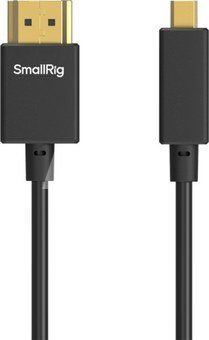
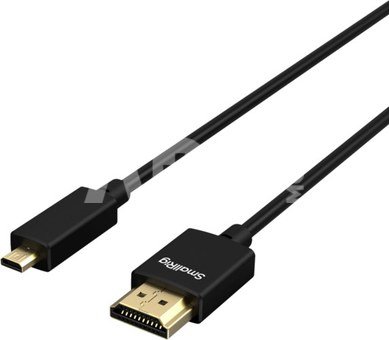
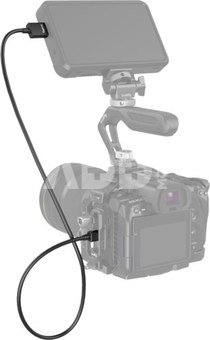
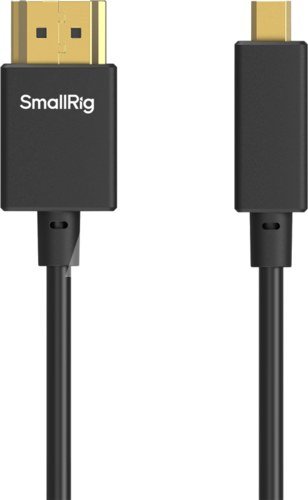
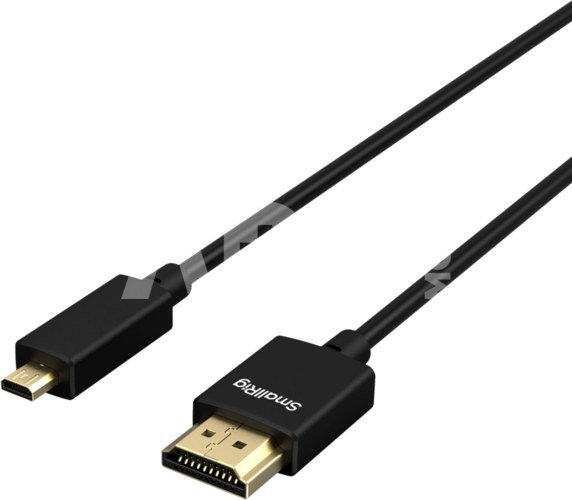
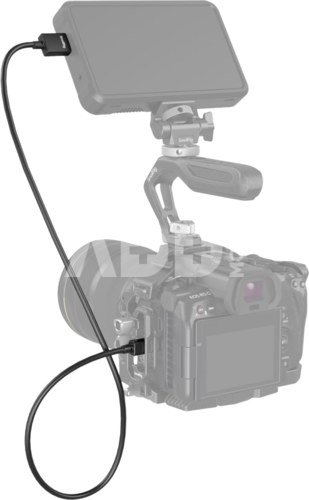
SmallRig Ultra-Slim 4K HDMI Data Cable (D to A) (100cm) 4795 is a high-quality HDMI cable (Micro HDMI to Full HDMI) specially designed for your camera rig. It’s HDMI 2.0 version and supports resolution up to 4K@60HZ and will be backward compatible. Ultra-slim design with a 3.6mm outer diameter makes it thinner and softer than a regular HDMI cable. Low-profile connectors will not block the adjacent ports. It’s a perfect HDMI cable for your camera rig with a 100cm cable length. The enclosed cable tie for cable management will help make your rig neat.
1. High-quality HDMI cable (Micro HDMI to Full HDMI) for your camera setup.
2. HDMI 2.0 and supports resolution up to 4K@60HZ.
3. Ultra-slim design with a 3.6mm outer diameter makes it thinner and softer than a regular HDMI cable.
4. 100cm cable length, perfect for a camera rig.
5. It comes with a cable tie for cable management to make your rig neat.
SmallRig Ultra-Slim 4K HDMI Data Cable (D to A) (100cm) 4795 is a high-quality HDMI cable (Micro HDMI to Full HDMI) specially designed for your camera rig. It’s HDMI 2.0 version and supports resolution up to 4K@60HZ and will be backward compatible. Ultra-slim design with a 3.6mm outer diameter makes it thinner and softer than a regular HDMI cable. Low-profile connectors will not block the adjacent ports. It’s a perfect HDMI cable for your camera rig with a 100cm cable length. The enclosed cable tie for cable management will help make your rig neat.
Note: Please make sure the HDMI port on your camera is a Micro type.
Compatible With Devices with Micro HDMI port, like Sony A7RIII, A7M3, A7II, A7R IV, A6500, FUJIFILM X-T3, FUJIFILM X-T4, SIGMA fp etc.
1 x HDMI cable
1 x Cable tie
Product Dimensions: 1000 x 17 x 8.5mm
Package Dimensions: 162 x 140 x 10mm
Product Weight: 26g±5g
Package Weight: 42g±5g
Material(s): TPE
Cable Length (m)
1
Соединение 1
HDMI-D
Connection 2
HDMI-A
Discuss with a consultant in Kaunas
We don't have
Klaipėda Address: Birželio 23-iosios g. 23g Working hours: I-V 09:00 - 18:00 VI-VII not working Phone: +370 674 59488
Discuss with a consultant in Klaipėda
We don't have
Klaipėda Address: Taikos pr. 17 Working hours: I-V 10:00 - 19:00 VI 10:00 - 14:00 VII not working Phone: +370 604 43972
1. How to choose the right cable for your camera or other device?
To choose the right cable for your camera or other device, it is important to consider several factors. First, you need to know what type of connector your device uses – whether it's USB, HDMI, USB Type-C, etc. Next, it’s important to take into account the data transfer speed (the data transfer rate). If it's data transfer, for example, from the camera to the computer, you may need a fast USB 3.0 or USB Type-C connection. Another factor is the cable length – choose the appropriate length depending on where and how you plan to use the cable. The quality of the cables can also impact the stability of the transferred data and the sound quality of the speaker wire. Carefully read the device specifications and choose a cable that suits your needs.
2. How to choose the right power adapter for your electronic device?
When choosing the right power adapter for your electronic device, it is important to pay attention to several key factors. Check the device's specifications to determine the required input voltage, current, and connector. The adapter must meet these specifications to ensure proper charging and prevent potential damage. Choose an adapter from a reliable manufacturer and make sure it meets safety standards. It is also important to pay attention to the type of adapter connector and ensure it is compatible with your device. Finally, consider the portability and convenience of the adapter, especially if you need to charge your device frequently while traveling.
















Reviews
0 average rating (0 votes)