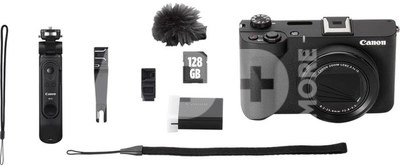
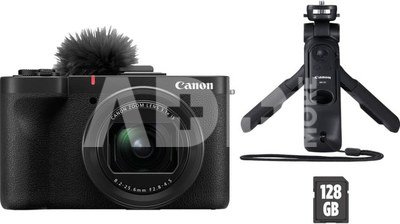
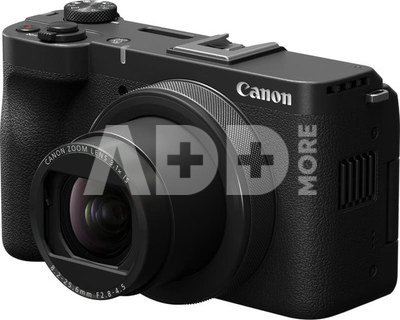
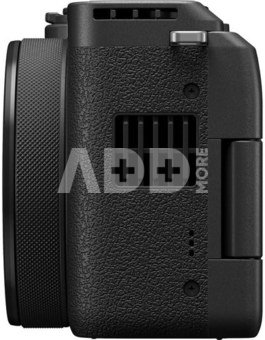
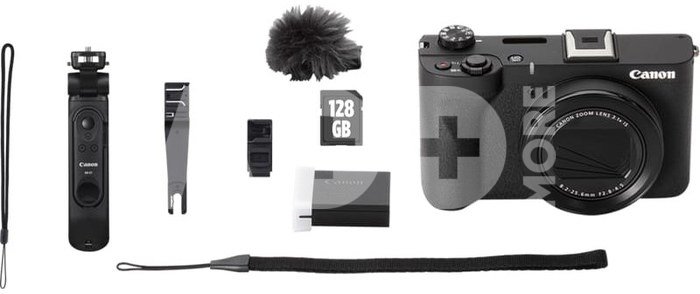
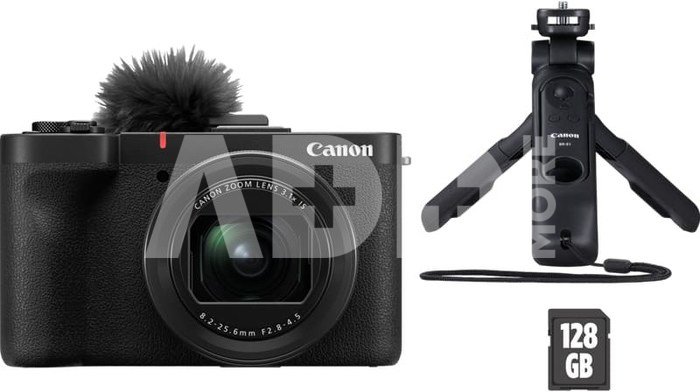
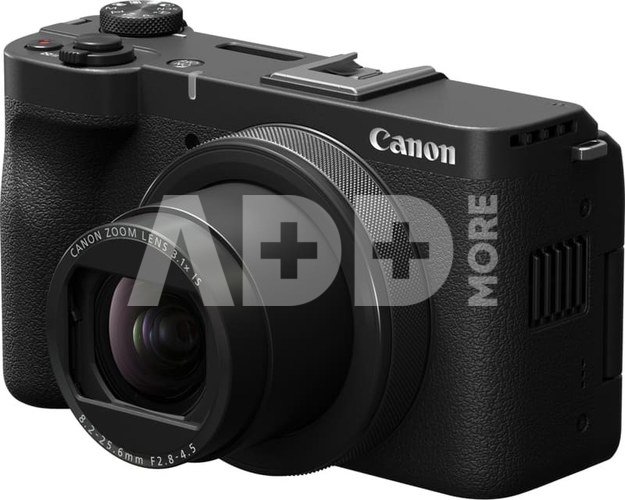
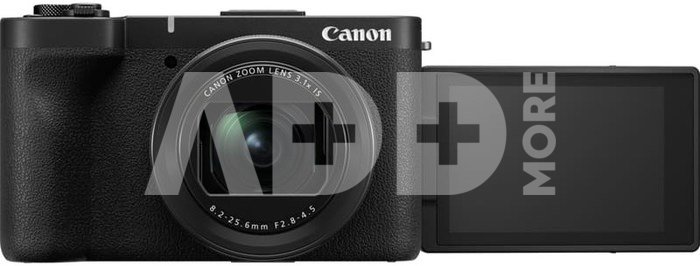
Canon Powershot V1 Premium Vlogger Kit (Black) is a compact all-in-one content creation kit designed for vlogging, travel videos, social media, product reviews, livestreaming and everyday video shooting. It combines the Canon PowerShot V1 camera with essential accessories such as a grip, microphone with windscreen, memory card, battery and straps, so the user can start creating content straight away. The PowerShot V1 features a large 1.4-inch CMOS sensor, approx. 22.3 megapixels, 4K UHD video recording, Dual Pixel CMOS AF and a bright built-in zoom lens. It is especially useful for creators who want better image quality, better sound options and more creative control than a smartphone can usually offer.
WHO IS IT FOR?
Canon PowerShot V1 Premium Vlogger Kit is ideal for:
Vloggers
YouTube creators
TikTok and Instagram content creators
Travel video makers
Product reviewers
Livestreamers
Small business owners creating video content
Family and everyday video users
Creators who want a compact camera instead of a larger mirrorless setup
This kit is especially useful for creators who want a simple but high-quality setup for recording themselves, products, travel moments, behind-the-scenes content or social media videos.
KEY ADVANTAGES
Large 1.4-inch sensor for high-quality images and videos
Approx. 22.3 megapixels for detailed stills and video content
4K UHD video recording up to 60p
Full HD recording up to 120p for slow-motion footage
Dual Pixel CMOS AF for fast and accurate focusing
Built-in 3.1x optical zoom lens
Optical image stabilisation and Movie Digital IS
Canon Log 3 support for more flexible colour grading
Built-in ND filter for filming in bright light
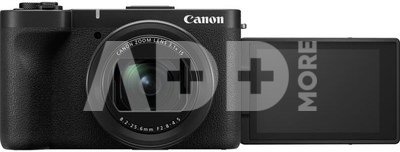
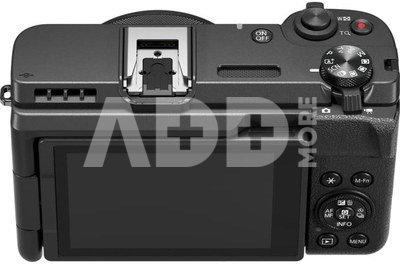
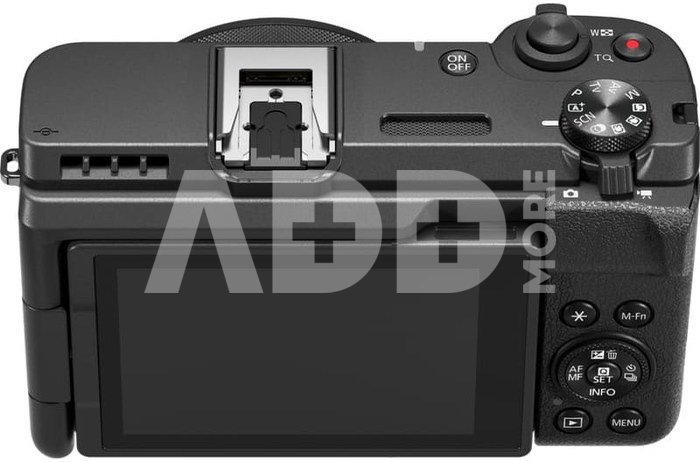
Vari-angle touchscreen for vlogging and selfies
UVC/UAC support for easy livestreaming and webcam use
Compact body, easy to carry every day
Premium kit includes useful vlogging accessories
HOW DOES IT PERFORM IN REAL LIFE?
In real use, Canon PowerShot V1 is made for quick, practical and high-quality video creation. The wide-angle lens is useful when filming yourself at arm’s length, while the zoom range gives extra flexibility for travel, details and everyday shooting.
The large sensor helps produce better image quality than many small compact cameras and smartphones, especially when more detail and background separation are needed. The Dual Pixel CMOS AF system helps keep faces and subjects sharp, which is very important for vloggers, product reviews and solo creators. The included grip makes handheld filming more comfortable, while the external microphone with wind protection helps improve audio outdoors. The 128 GB memory card and additional accessories make this kit a ready-to-use solution for creators who want to start recording without buying everything separately.
WHAT SHOULD YOU CONSIDER?
Canon PowerShot V1 does not have an electronic viewfinder. It is mainly designed for video creators who use the rear vari-angle screen.
The lens is built in, so it cannot be changed like on a mirrorless camera. This is convenient for simple everyday use, but users who need interchangeable lenses may prefer a Canon EOS R system camera.
4K 60p recording is available, but some video modes may use cropping. For best handheld results, optical stabilisation and Movie Digital IS can be used, but digital stabilisation may also crop the image slightly.
For professional audio, using the included external microphone or another compatible microphone is recommended.
COMPARISON WITH ALTERNATIVES
Compared with a smartphone, Canon PowerShot V1 gives a larger sensor, optical zoom, better manual control, better audio options and stronger creative video features.
Compared with a larger mirrorless camera, it is smaller, simpler and easier to carry, but it does not offer interchangeable lenses.
Compared with basic compact cameras, it is much more focused on video creation, offering 4K 60p, Full HD 120p, Canon Log 3, a built-in ND filter, vari-angle screen and livestreaming support.
Compared with action cameras, it offers a larger sensor, more natural background separation and a more traditional camera look, but it is not designed for extreme waterproof or action use without additional protection.
IS IT WORTH BUYING?
Yes, Canon PowerShot V1 Premium Vlogger Kit is worth buying if you want a compact and complete video creation setup in one box. It is a strong choice for creators who want better video quality than a phone, easier handling than a larger camera system and useful accessories for vlogging included from the start. It is especially suitable for YouTube, Instagram, TikTok, travel videos, product demonstrations, interviews, livestreams and everyday content creation.
FREQUENTLY ASKED QUESTIONS (FAQ)
Is Canon PowerShot V1 good for vlogging?
Yes, it is designed with vloggers and content creators in mind. It has a vari-angle screen, 4K video, fast autofocus, stabilisation and strong audio options.
Can Canon PowerShot V1 record 4K video?
Yes, it records 4K UHD video up to 60p and Full HD up to 120p.
Does Canon PowerShot V1 have autofocus tracking?
Yes, it uses Dual Pixel CMOS AF, which provides fast and accurate focusing for both stills and video.
Can I use it for livestreaming?
Yes, Canon PowerShot V1 supports UVC/UAC, making it suitable for plug-and-play livestreaming or webcam use.
Does it have a built-in lens?
Yes, it has a built-in 8.2–25.6 mm lens with 3.1x optical zoom.
Is this kit ready to use?
Yes, the Premium Vlogger Kit includes the camera and useful accessories such as a grip, microphone with windscreen, memory card, battery and straps.
Image sensor: 1.4-inch CMOS
Effective pixels: Approx. 22.3 megapixels
Total pixels: Approx. 23.9 megapixels
Image processor: DIGIC X
Lens focal length: 8.2–25.6 mm
Optical zoom: 3.1x
Maximum aperture: f/2.8
Lens construction: 9 elements in 8 groups
Image stabilisation: Optical IS
Autofocus: Dual Pixel CMOS AF
AF coverage: Approx. 100% vertical and horizontal
Manual focus: Yes
Closest focusing distance: 0.05 m
ISO sensitivity: Auto 100–32000, Manual 100–51200 equivalent
Shutter speed: 1/2000 sec. mechanical, 1/16000 sec. electronic
LCD monitor: Approx. 3.0-inch vari-angle touchscreen, 1.04M dots
Viewfinder: No
Built-in flash: No
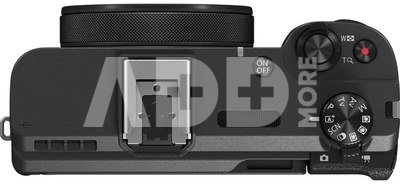
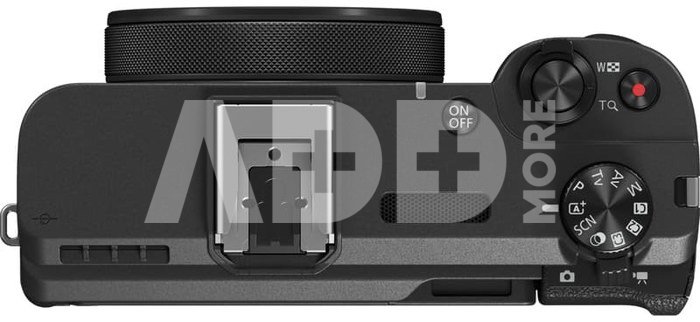
Hot shoe: 21-pin multi-function shoe
Continuous shooting: Up to 15 fps mechanical, up to 30 fps electronic
Still image formats: JPEG, HEIF, RAW, C-RAW, Dual Pixel RAW
Movie format: MP4
Movie resolution: 4K UHD 3840 × 2160, Full HD 1920 × 1080
4K frame rates: Up to 59.94p / 50p
Full HD high frame rate: Up to 119.88p / 100p
Movie length: Up to 6 hours at standard frame rates; up to 1 hour 30 minutes at high frame rates
Microphone: Built-in stereo microphone, 48 kHz, 16-bit, 2 channels
Speaker: Built-in monaural speaker
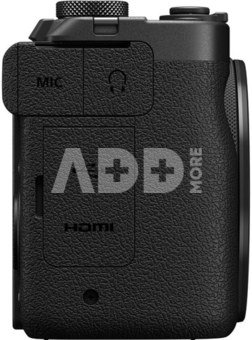
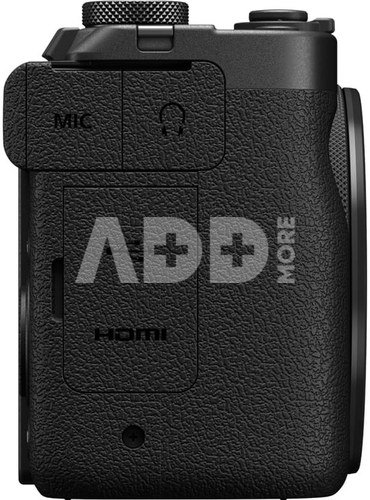
HDMI output: Type D Micro HDMI
Wireless connectivity: Wi-Fi 2.4 GHz, Bluetooth 4.2
App support: Canon Camera Connect app
Storage: 1x UHS-II SD card slot
Battery: LP-E17
Battery life: Approx. 400 shots
Movie shooting time: Approx. 1 hour 10 minutes
USB power support: USB-C PD compatible chargers supported
Operating environment: 0–40°C
Humidity range: 10–90%
Water / dust resistance: No
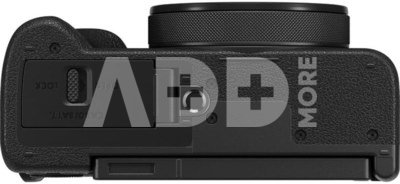
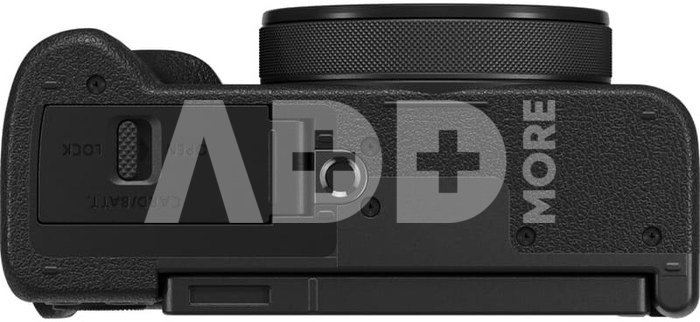
Tripod mount: 1/4 inch
Dimensions: 118.3 × 68.0 × 52.5 mm
Weight: Approx. 426 g
Effective pixels
22.3 mln. pixels
Optical zoom
3.1 x
Focal length (wide)
8.2 mm
Discuss with a consultant in Kaunas
We don't haveKlaipėdaAddress: Birželio 23-iosios g. 23gWorking hours: I-V 09:00 - 18:00VI-VII not workingPhone: +370 674 59488
Try it in Klaipėda
HaveKlaipėdaAddress: Taikos pr. 17Working hours: I-V 10:00 - 19:00VI 10:00 - 14:00VII not workingPhone: +370 604 43972
Specification
Performance
Producer(?)
Link to the official manufacturer website
Canon
Effective pixels
22.3 mln. pixels
Optical zoom
3.1 x
Focal length (wide)
8.2 mm
Focal length (tele)
25.6 mm
Sensor
CMOS
Sensor Chip (inch)
1.4 inch
Maximum Resolution
5760 × 3840
Optical viewfinder
No
ISO rating
Auto 100–32000, Manual 100–51200 equivalent
Auto Shift ISO
Auto 100–32000
ISO Manual
100–51200 equivalent
Max. Light Sensitivity (ISO)
51200
Digital zoom
4 x
Image stabilization
Optical IS + Movie Digital IS
Colour Depth (bit)
10-bit
Focus
Dual Pixel CMOS AF
Minimum Focus
5 cm
Normal focus range
Autofocus / manual focus
Macro focus range
Yes
Aperture range
f/2.8–4.5
Shutter speed (sec)
1/2000 sec mechanical, 1/16000 sec electronic
Built-in Flash
No
External flash
Yes, via 21-pin multi-function shoe
Flash modes
No built-in flash
Exposure compensation
±3 EV, in 1/3-stop increments
Manual Exposure
Yes
Programme Automatic
Yes
Aperture priority
Yes
Shutter priority
Yes
Bulb (Long Time Exposure)
No
Continuous Drive
Up to 15 fps mechanical, up to 30 fps electronic
Movie Clips
4K UHD up to 60p, Full HD up to 120p
Max. Number of Pictures/Second
120 kadrų/sek.
Max. Resolution (pixels)
3840 × 2160
Movie with audio
Yes, built-in stereo microphone / external microphone support
Self-timer
Yes
Automatic Depth of Field
No
Interchangeable lenses
No, built-in lens
Storage
Storage types
SD, SDHC, SDXC, UHS-II
SD
Yes
CF
No
xD
No
Storage included
128000 MB
Display
LCD
3 "
Display size (cm)
7.5 (cm)
LCD pixels
1040 kpixels
Touch Screen
Yes
Display resolution
1.04 million dots
Live View
Yes
Ports
Video out
No
Video-Out
HDMI
USB
USB-C
HDMI
Micro HDMI, Type D
FireWire
No
RS232 Port
No
HD Component Out
No
WLAN
Yes, Wi-Fi 2.4 GHz
Additional Features
HD recording
Yes, Full HD 1920 × 1080
Bluetooth
Yes, Bluetooth 4.2
GPS receiver
No
Water Safety
No
3D video recording
No
3D Panoramic Function
No
PictBridge (Direct Printing without PC)
Yes, via compatible Canon printers / wireless connection
1. What are the main features to consider when choosing a digital camera?
When choosing a digital camera, it's important to consider several key features to ensure it meets your needs. First, define your goals: will it be for everyday photos, professional photography, or a compact travel camera? Choose the appropriate sensor size, which directly affects photo quality and performance in low light conditions. Consider the number of megapixels – more doesn’t necessarily mean better quality. Select the right lens based on your needs. It's also essential to take into account the camera’s size, weight, ease of control, battery life, recording formats, flash capabilities, and connectivity with other devices. Don’t forget your budget – choose something within your means. Before purchasing, it's important to read reviews and do thorough research to ensure you’ll be satisfied with your choice.
2. How to understand and use the digital camera's menu system and settings?
The digital camera's menu system may initially seem complicated, but it's important to understand the basic settings. Experienced photographers often experiment with different settings, but beginners are recommended to familiarize themselves with the main settings such as ISO and aperture. Most cameras come with a user manual, and there are plenty of online tutorials that can help you quickly grasp the menu systems and settings. The key is to experiment, as this will help you better understand how different settings work and how to use them optimally in different shooting conditions.
The website uses cookies, which help you ensure quality of service. Continuing browsing, you agree with fotoaparatas.lt cookies policy.Agree


%201.jpg)
%202.jpg)
%203.jpg)
%205.jpg)


















Reviews
0 average rating (0 votes)