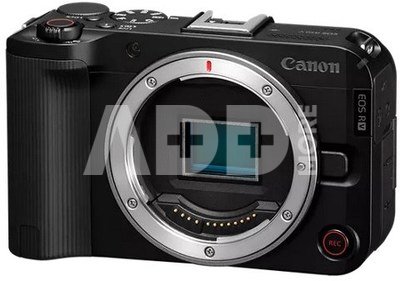
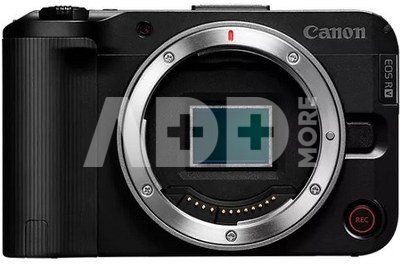
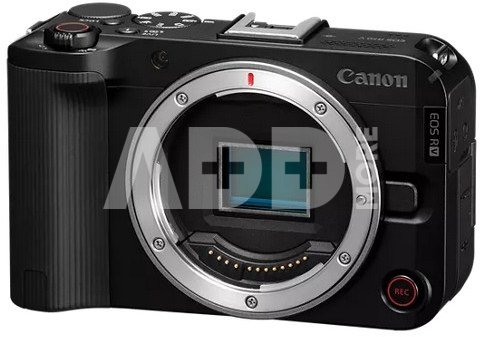
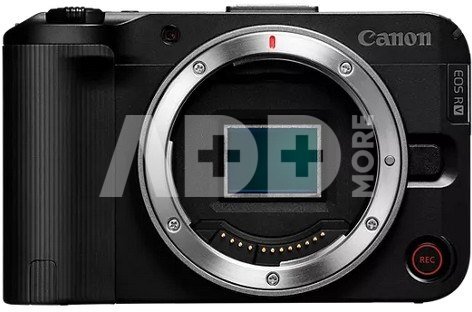
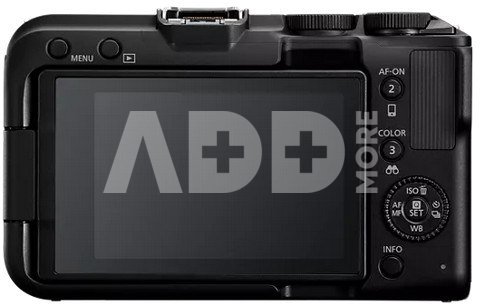
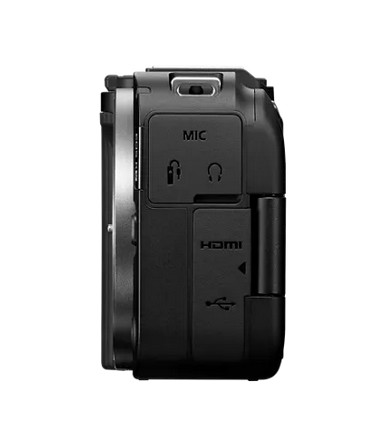
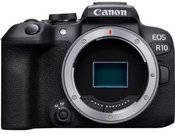
Canon EOS R50 V BODY. Enjoy interchangeable lens video shooting with the first EOS V series camera body. Built for creators with a redesigned user interface including a Vertical Video tripod mount and Front Record button. Slow and Fast mode – this allows creative control of the video frame rate and playback speed. 24.2 MP APS-C CMOS Image Sensor with DIGIC X Image Processor with up to 4K Crop 59.94p, 4K 29.97p full-width and Full-HD full-width 119.8p recording. Impressive Dual Pixel CMOS AF II tracking with Register People Priority and Auto People, Animal, and Vehicle Subject Detection. Advanced Video features such as Canon Log 3, HLG, PQ, 709 Recording, False Color and Zebras. Easy to use Automatic Exposure and Scene modes such as Movie for Close-up demo, Smooth Skin and Movie IS mode, as well as Color Filters. Multi-function accessory shoe with support of LPCM 24bit/4ch audio. 2.4Ghz and 5Ghz band Wi-Fi and four different built-in Live streaming modes for easy connection to your audience.
TAKE CONTROL OF YOUR NEXT VIDEO PRODUCTION
Step up to interchangeable lens video creation with the versatile EOS R50 V. This APS-C Mirrorless EOS V Series camera lets you take control of your next video production by blending some of the best features of the Cinema EOS and EOS camera lines together.
UI DESIGNED FOR THE CREATOR
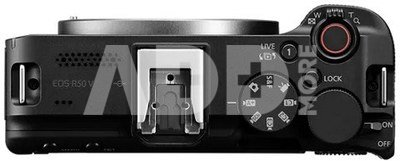
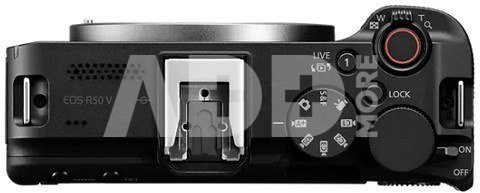
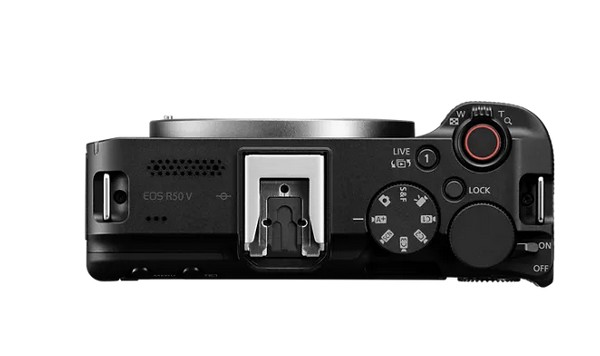
The EOS R50 V was designed through creator feedback to solve many of the pain points of creators. Its’ exterior was completely redesigned to be bold, modern, and untraditional in appearance. An appearance that clearly indocates that this camera is meant to be taken with you wherever your videos take you! The convenience and power of this camera goes far beyond portability. Enjoy smooth powered zooming with an on camera zoom lever (for Power Zoom compatible lenses), a 3-micrphone array for clear audio and unwanted noise reduction, and the latest Canon Multi-function shoe to attach and power additional compatible accessories.
VERTICALLY VERSATILE
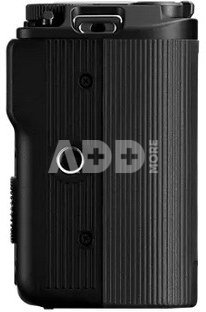
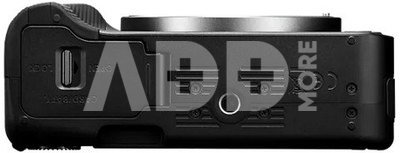
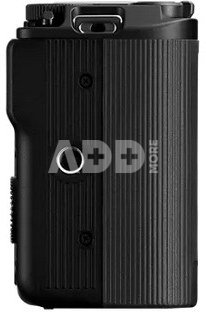
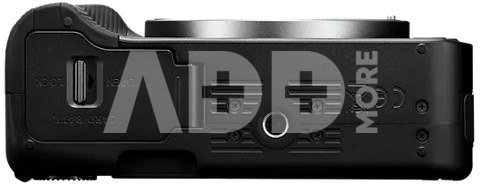
As a product made for today’s video content creator, it comes equipped with both a vertical and horizontal tripod mount. These are available on the side of the camera’s grip, and also on the bottom of the camera body. When in Movie mode, the on-screen menu’s automatically rotate based on the camera’s orientation.
ALWAYS READY
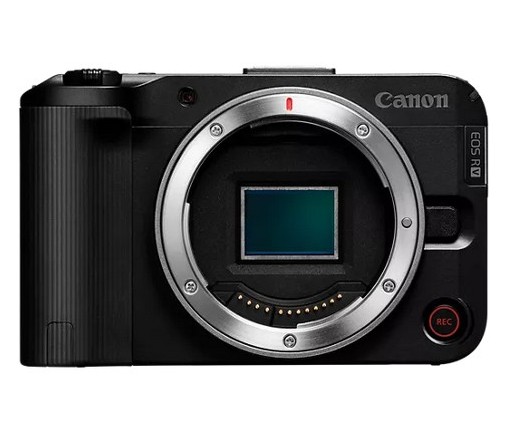
Since many creators spend a lot of time in-front of the camera, two Record buttons are available, one on the front of the camera so you can start your recording with confidence when vlogging, and another in the traditional Shutter button position when you’re behind the camera. Additionally, it is equipped with a red tally (visible from the front and top of the camera), and an LCD screen that displays a red-colored recording emphasis border around your LCD image to let you know when the camera is actively recording, so you or your subject are never surprised.
PRO LOOK SETTINGS SIMPLIFIED
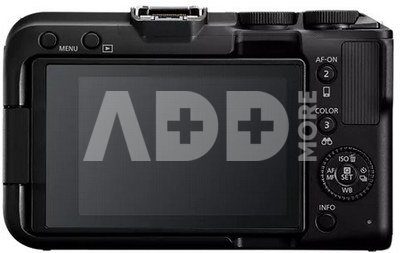
A new mode dial experience now features 7-different video focused modes at your fingertips. Newcomers to video can utilize the fully Automatic video exposure mode functionality, including the Scene mode featuring a dedicated video mode for “close-up demos” perfect for Video, or Small Business Creators doing E-commerce product demonstrations. This mode is ideal for creators who want to present an object close to the lens, and quickly have the focus return back to them. There’s also a mode dedicated to Movie Image Stabilization – for those recording vlogs on the go. And because appearance is important on-camera, a dedicated Smooth Skin movie mode is also included.
CONTROL TIME WITH SLOW AND FAST MODE
New to the EOS R50 V mode dial is the Slow and Fast mode – selecting this mode allows creative control of both the video frame rate and playback speed separately and in-camera, for slow-motion recordings, or fast-motion time-lapse sequences. Simply select your recording resolution of UHD 4K, UHD 4K Crop or Full-HD, then select your frame rate with options as fast as 59.94p in 4K Crop, or 119.8p in Full-HD, then simply determine your playback speed your desiring to match your project.
CREATE THE COLOR YOU WANT
The EOS R50 V camera is built not just for newcomers to video, but also for advanced creators. High-end features like Canon Log 3, HLG, PQ and Canon709 recording to deliver rich color at up to 4:2:2 10 bit. A new Color Filter mode has also been added providing 14 different color options, accompanying the well-known Picture Style menu. And now creating cinematic aspect ratio video is easier than ever with the new Cinema View mode, which creates a “letterboxed” cinematic 2.35:1 aspect ratio video.
FOCUSED ON YOU
The EOS R50 V comes with Canon’s powerful Dual Pixel CMOS AF II focusing system, providing tenacious tracking that follows you or your subject when recording or taking photos. Easy to use Subject Detection modes include People, Animals, Vehicles, and Auto mode, allowing high precision autofocus with ease and reliability. The EOS R50 V even has the Register People Priority Autofocus mode found in our flagship EOS R1, EOS R3 and EOS R5 Mark II mirrorless cameras. Simply take a photo of your subject to register them, and they’ll be prioritized over other subjects in the scene based on your ranking, so the important subjects in your videos and photos will be in focus.
FOR THE STILLS PHOTOGRAPHER
As an EOS V-series product, optimized for video, you might think that we forgot about still photography features, but rest assured, we packed lots of incredible image capturing capabilities into this very travel friendly camera. It has a full-fledged “Photo” mode with a host of manual and automatic shooting modes available. With a powerful 24.2-megapixel, APS-C image sensor, a DIGIC X image processor, and as a mirrorless interchangeable lens camera, it is built with the Canon RF mount – allowing the use of over 50-different RF, and RF-S lenses to empower your creativity.
GO LIVE TO CONNECT TO YOUR AUDIENCE
This camera also offers tremendous networking capability – offering 5 and 2.4Ghz Wi-Fi, Bluetooth, and built-in Wireless Livestreaming capability via both the Canon Camera Connect app, and the Live Switcher Mobile app. Additionally, its USB C terminal offers USB UVC/UAC streaming for use of the camera as a webcam, and separately an HDMI streaming mode offers a clean HDMI connection to HDMI capture cards and switchers, providing multiple options to connect with your audience. All of these settings can now be accessed through the Live button, but if Livestreaming isn’t your thing, it is one of 8 different customizable video buttons on the camera!
SPECIFICATIONS
Type: Digital interchangeable lens mirrorless camera
Image Processor: DIGIC X
Recording Media: (One) SD card slot. Compatible with UHS-II/UHS-I/UHS speed class/SD speed class. Eye-Fi cards and Multimedia cards (MMC) are not supported.
Compatible Lenses: Canon RF lenes (including RF-S lenses); Canon RF-S3.9mm F3.5 STM Dual Fisheye lens and RF-S7.8mm F4 STM Dual lens; * When using Mount Adapter EF-EOS R: Canon EF or EF-S lenses (excluding EF-M lenses)
Lens Mount: Canon RF mount
Aspect Ratio: 3:2 (Horizontal: Vertical)
Color Filter System: RGB primary color filters
Low Pass Filter: Installed in front of the image sensor, non-detachable
Dust Deletion Feature: Self Cleaning Sensor Unit not provided. Manual cleaning (by hand) not supported. Dust Delete Data acquisition and appending. The coordinates of the dust adhering to the low-pass filter are detected by a test shot and appended to subsequent images. The dust coordinate data appended to the image is used by the EOS software to automatically erase the dust spots. Not available during focus bracket shooting.
Recording Format: Compliant to Design rule for Camera File system 2.0 and Exif 2.31*. *Supports time offset information.
Image Format: JPEG (.JPG), HEIF (.HIF), RAW, C-RAW (.CR3). Movies: XF-HEVC S YCC422 10 bit. XF-HEVC S YCC420 10 bit. XF-AVC S YCC422 10 bit. XF-AVC S YCC420 8 bit. *1: When a movie is recorded with [Add CP file: On] set when [Custom Picture] is active,a “.CPF” file will be created.
Still image resolution: RAW, C-RAW -- 24.0 MP (6000 x 4000). Large (L) -- 24.0 MP (6000 x 4000)
Medium (M) -- Approx. 10.6 MP (3984 x 2656). S1 -- Approx. 5.9 MP (2976 x 1984). S2 -- Approx. 3.8 MP (2400 x 1600)
Monitor Size: 3.0-inch (screen aspect ratio of 3:2); 2.95 in./7.5cm diagonal (2.44 in./6.2cm width, 1.65 in./4.2cm height)
Dots: Approx. 1.04 million dots
Supporting Wi-Fi Standards: Equivalent to IEEE 802.11b/g/n/a/ac Standards
Bluetooth: Bluetooth Specification Version 4.2 compliant (Bluetooth Low Energy technology)
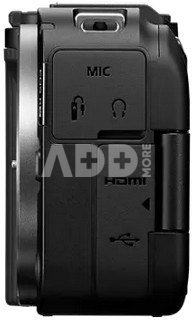
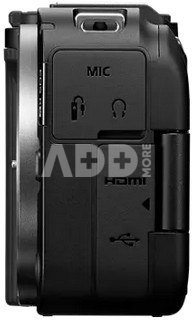
USB Terminal: Equivalent to Super-Speed Plus USB (USB 3.2 Gen 2). For PC communication / smartphone communication (Live streaming not possible through USB). Terminal type: USB Type-C. Shared with terminal for in-camera charging with USB Power Adapter PD-E1.
HDMI Out Terminal: HDMI micro OUT terminal (Type D); * HDMI CEC not supported; * Images not displayed unless [For NTSC] or [For PAL] is set correctly for the TV video system
Clean HDMI Output: Provided
Microphone terminal: 3-Pin Microphone IN
Headphone terminal: 3.5mm diameter stereo mini-plug
Remote Control terminal: Canon E3 type (single pin socket)
Battery: Canon LP-E17 battery pack. Battery charger: Canon LC-E17 charger; supplied with camera. With the AC Adapter AC-E6N + DC Coupler DR-E18, AC power is possible (AC Adapter Kit ACK-E18can also be used). USB Power Adapter PD-E1 or PD-E2 supports in-camera charging of Battery Pack LP-E17 when the camera is turned off and can supply power when the camera is turned on.
Dimensions: body (width x height x depth): approx. 119.3 x 73.7 x 106.7 mm. Based on CIPA standards.
Weight: body only: approx. 323 g; body (including battery and card): approx. 370 g
Delivery time5-19 w.d.
Lens mount (bayonet)
Canon RF
Image Sensor Size
APS-C
Discuss with a consultant in Kaunas
We don't haveKlaipėdaAddress: Birželio 23-iosios g. 23gWorking hours: I-V 09:00 - 18:00VI-VII not workingPhone: +370 674 59488
Discuss with a consultant in Klaipėda
We don't haveKlaipėdaAddress: Taikos pr. 17Working hours: I-V 10:00 - 19:00VI 10:00 - 14:00VII not workingPhone: +370 604 43972
Specification
Producer(?)
Link to the official manufacturer website
Canon
Delivery time
5-19 w.d.
Lens mount (bayonet)
Canon RF
Vaizdo sensorius
Image Sensor Size
APS-C
Maximum Resolution
6000 x 4000
Effective pixels
24 mln. pixels
Sensor type
CMOS
CPU Type
DIGIC X
Nuotrauka
ISO rating
100 - 32000
Stabilization System
skaitmeninė
Image formats
Raw
, Jpeg
, HEIF
Fokusavimas
Focus
Contrast Detect (sensor)
, Multi-area
, Tracking
, Single
, Continuous
, Face Detection
Focus Points
4503
Manual Focus
Yes
Fotoaparato ypatumai
Shutter speed (sec)
30-1/8000
Aperture Priority
Yes
Shutter Priority
Yes
Built-in flash
Yes
External Flash
No
Fast shooting
15 frames per second
Timer
Yes
Video įrašas
Video resolution
4K UHD (16:9) 3840 x 2160 (119.9, 100, 59.94, 50, 29.97, 25, 23.98 fps) 3 type of intra or Long GOP
1. Which mirrorless camera should I choose for better photo results?
Choosing the right mirrorless camera for better photo results depends on your individual needs and budget. The Sony Alpha a7 III is a popular choice, offering excellent dynamic range and efficient autofocus. The Canon EOS R6 also boasts high technical performance, including powerful image stabilisation. The Nikon Z6 II is another attractive choice with excellent dynamic range and high ISO sensitivity. It's important to consider the features of each model, the choice of lenses and the ability to suit your shooting style. It is recommended to read reviews and test equipment before buying, if possible.
2. What are the advantages of mirrorless cameras compared to DSLR cameras?
The advantages of mirrorless cameras over DSLR cameras include modern technology and lightness. Mirrorless cameras are more compact and lighter, making them more comfortable to carry. They often have a smaller body because they do not have a mirror system, which reduces the overall weight. The use of an electronic viewfinder allows the actual frame to be seen before the picture is taken, thus optimising composition and exposure. Mirrorless cameras have fast autofocus and some models may perform better in low light conditions. They also offer more creative options, including a range of filters and effects. The new generation of lenses offers improved performance and efficiency, contributing to higher quality photos. However, every photographer's needs are different, so it is important to consider your preferences carefully before choosing a camera.
The website uses cookies, which help you ensure quality of service. Continuing browsing, you agree with fotoaparatas.lt cookies policy.Agree


.jpg)


















Reviews
0 average rating (0 votes)